
How To Pay With Credit Card?

How To Pay With a Credit Card?
It's easy to choose and download logos and brand kits from Zoviz, whether you pick the Basic, Brandkit, or Elite package. You can purchase with a credit card, PayPal, or other options from your user dashboard. Our secure payment process makes getting your logo and brand kit simple. Just follow these easy steps:
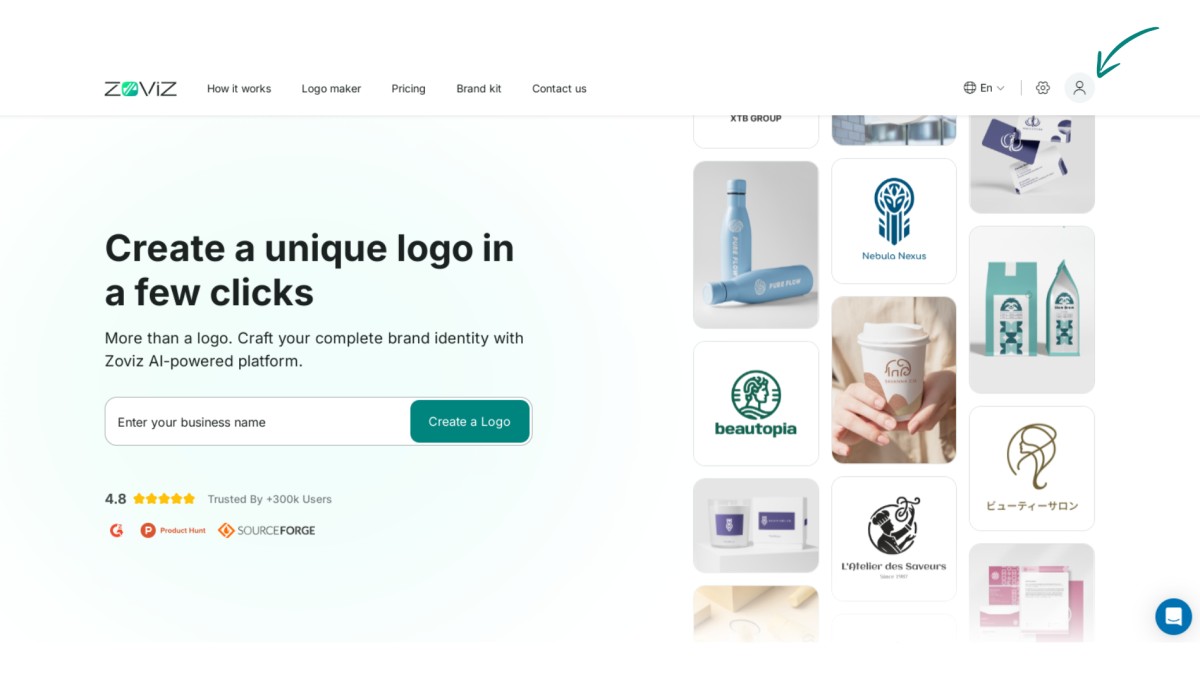
Step 1:Click on the profile icon in the top right corner.
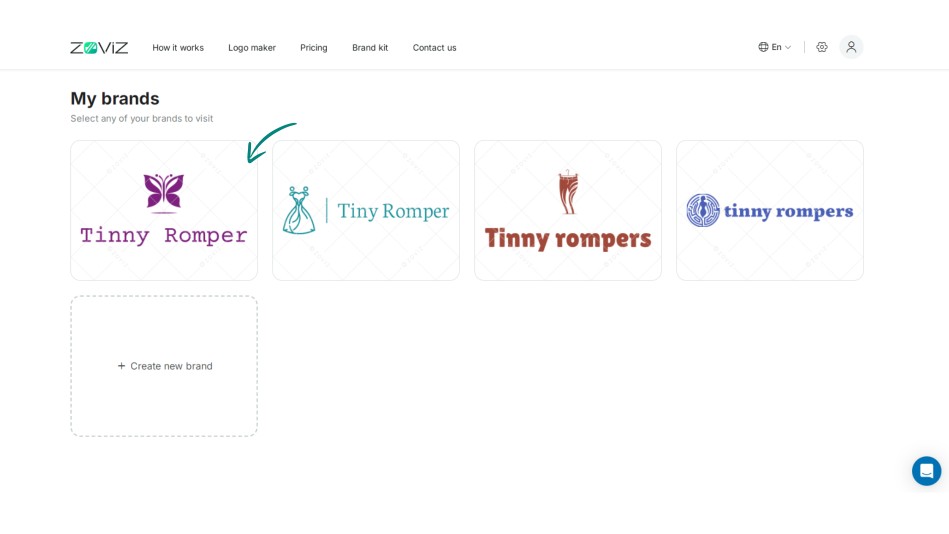
Step 2:Select the logo you want to purchase.
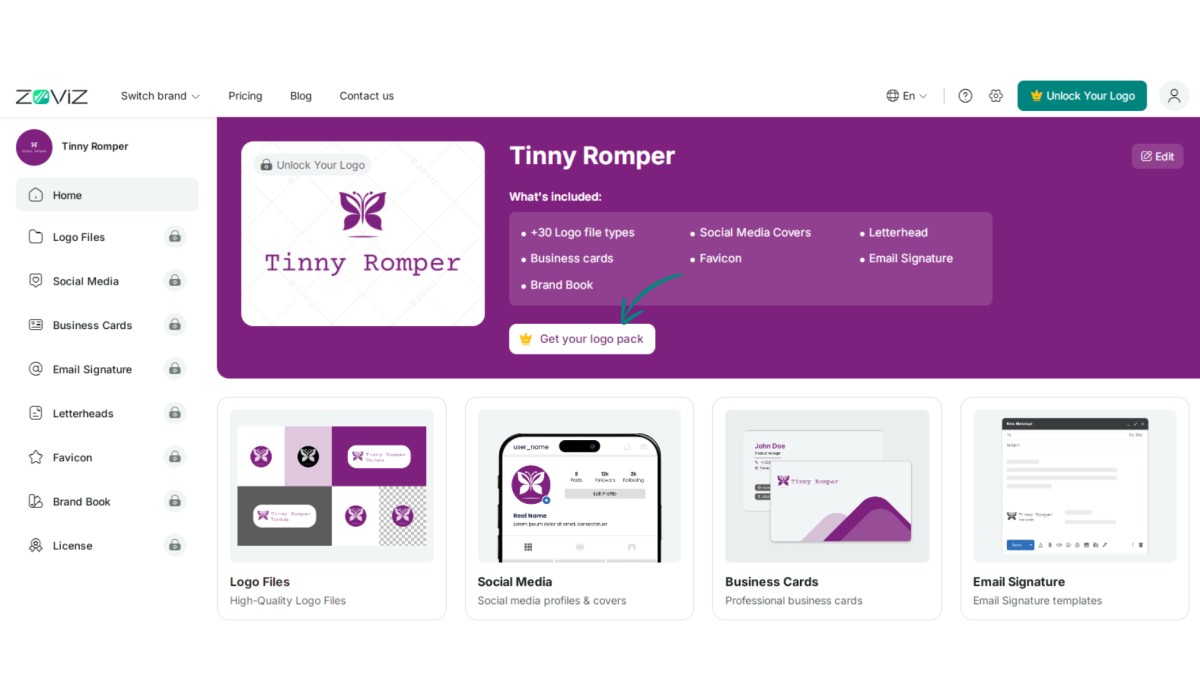
Step 3:Click the ‘Get Your Logo Pack’ button.
Step 4:Choose the logo package that suits you best.
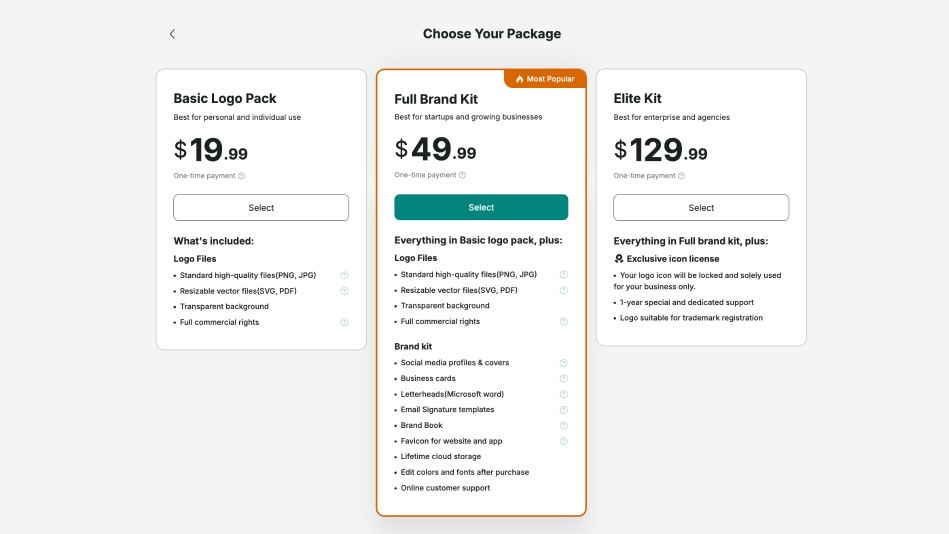
Step 5:Click the ‘Select’ button.
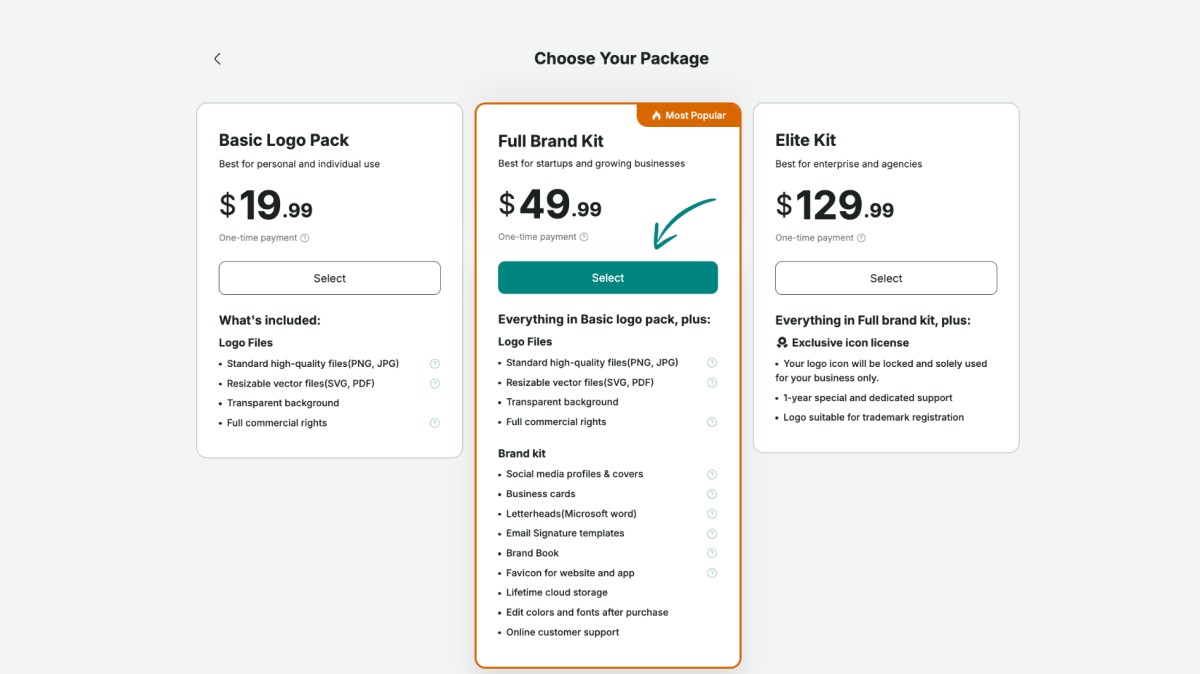
Step 6:Enter your payment and country details.
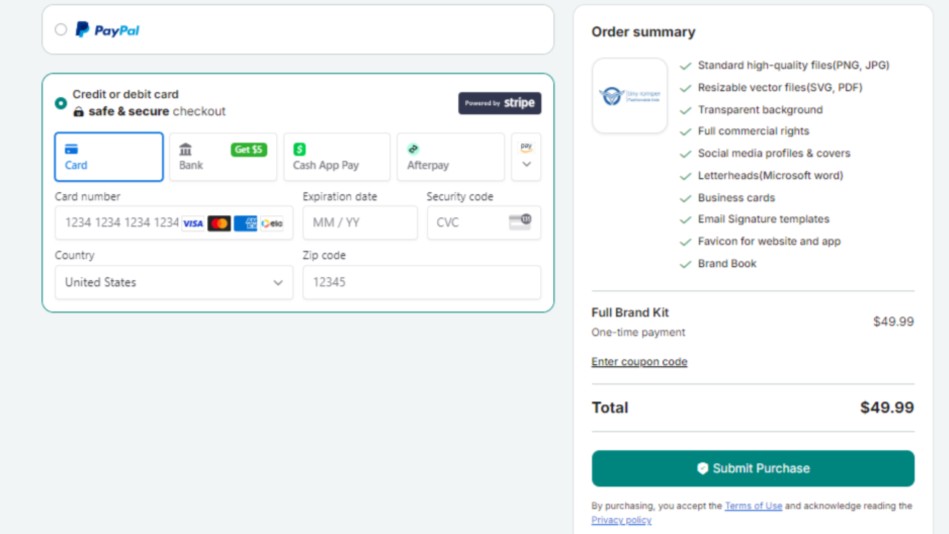
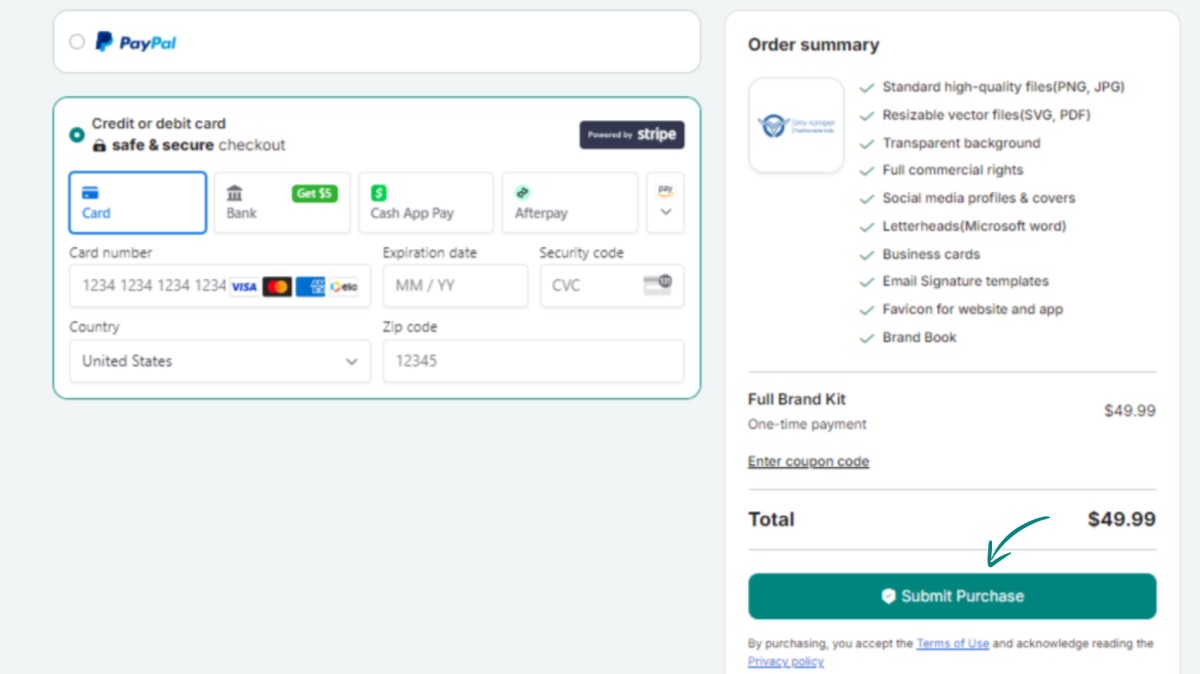
Step 7:Finalize your purchase by clicking ‘Submit Purchase.’
Dapatkan buletin eksklusif
Berlangganan sekarang untuk mendapatkan pembaruan terbaru langsung ke inbox Anda. Jangan sampai ketinggalan!
Direkomendasikan untuk Anda


Coba Pembuat Logo Zoviz
Masukkan nama merek Anda dan dapatkan pilihan logo dalam hitungan detik.


