
How To Pay With Credit Card?

How To Pay With a Credit Card?
It's easy to choose and download logos and brand kits from Zoviz, whether you pick the Basic, Brandkit, or Elite package. You can purchase with a credit card, PayPal, or other options from your user dashboard. Our secure payment process makes getting your logo and brand kit simple. Just follow these easy steps:
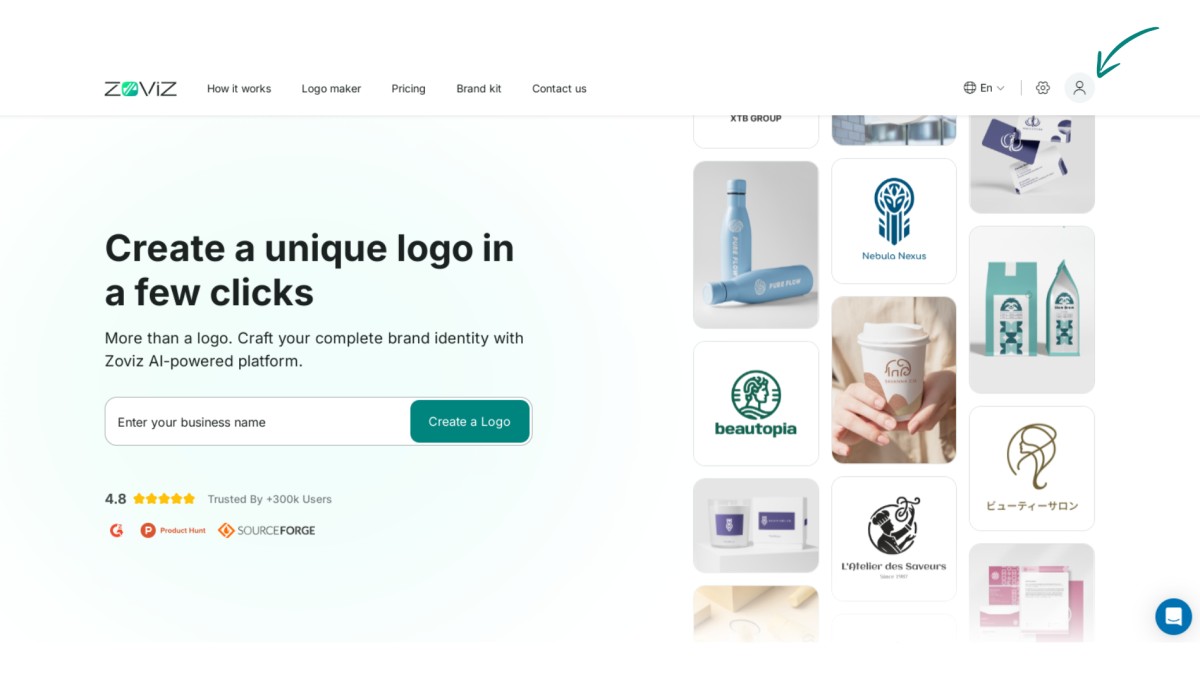
Step 1:Click on the profile icon in the top right corner.
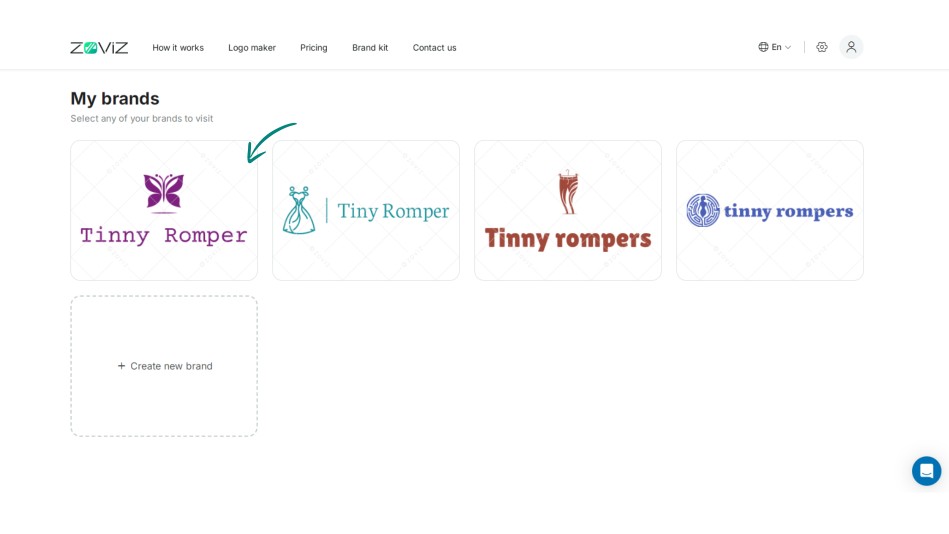
Step 2:Select the logo you want to purchase.
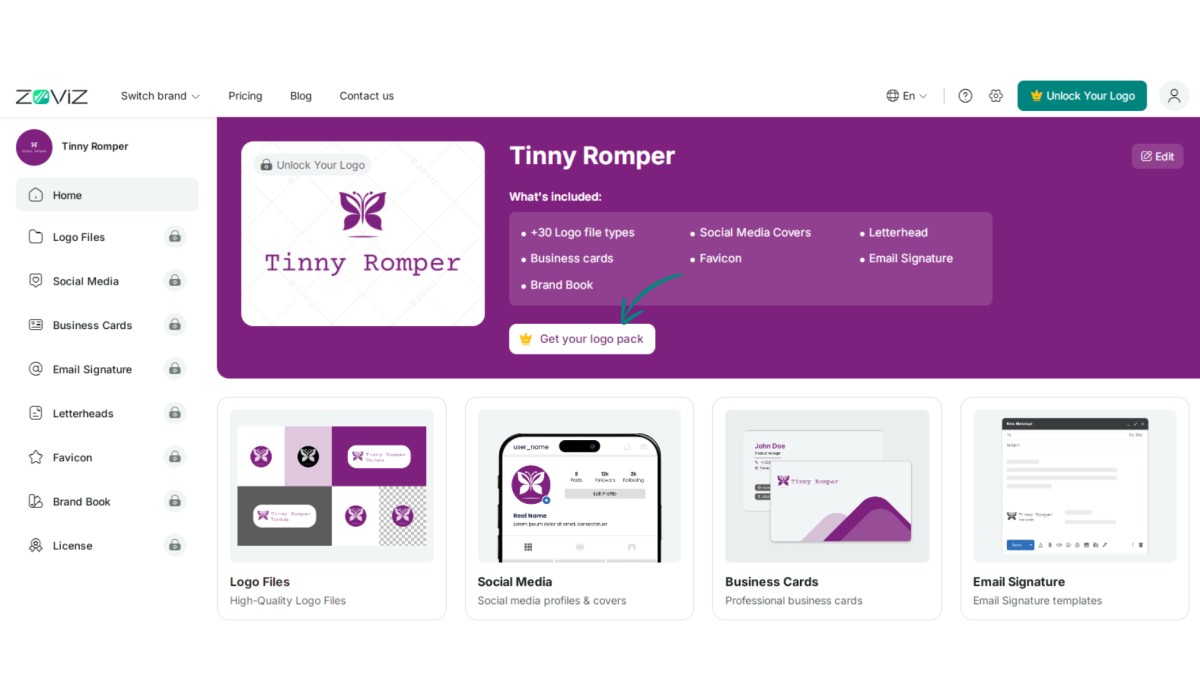
Step 3:Click the ‘Get Your Logo Pack’ button.
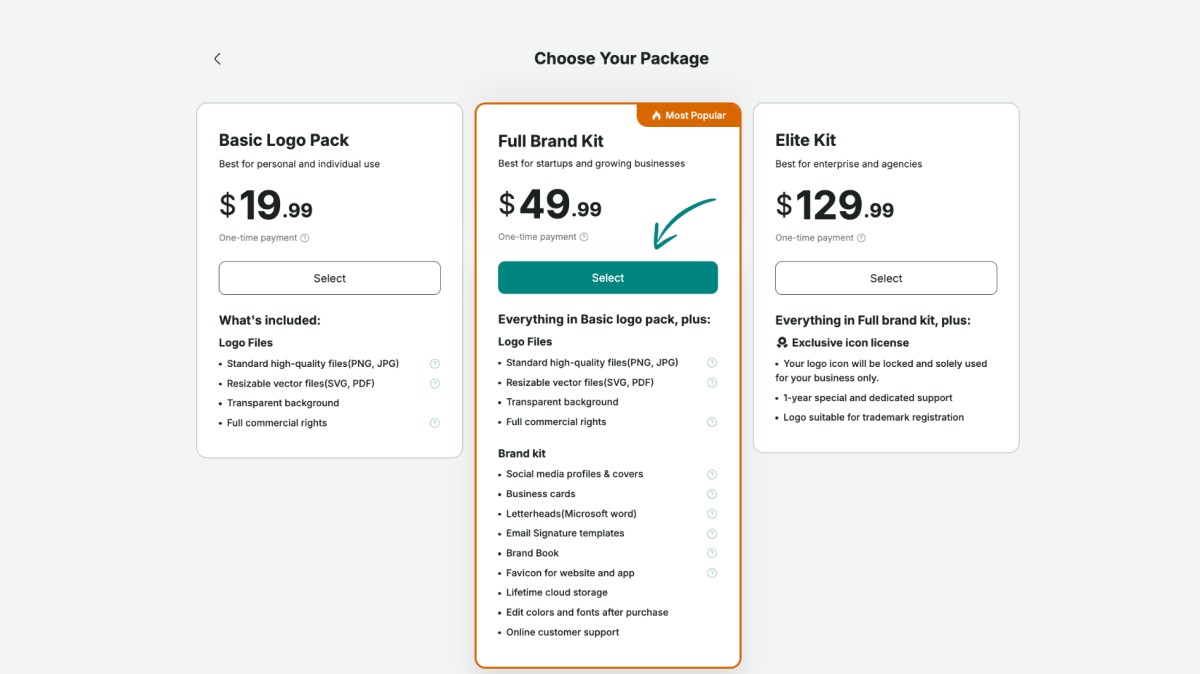
Step 4:Choose the logo package that suits you best.
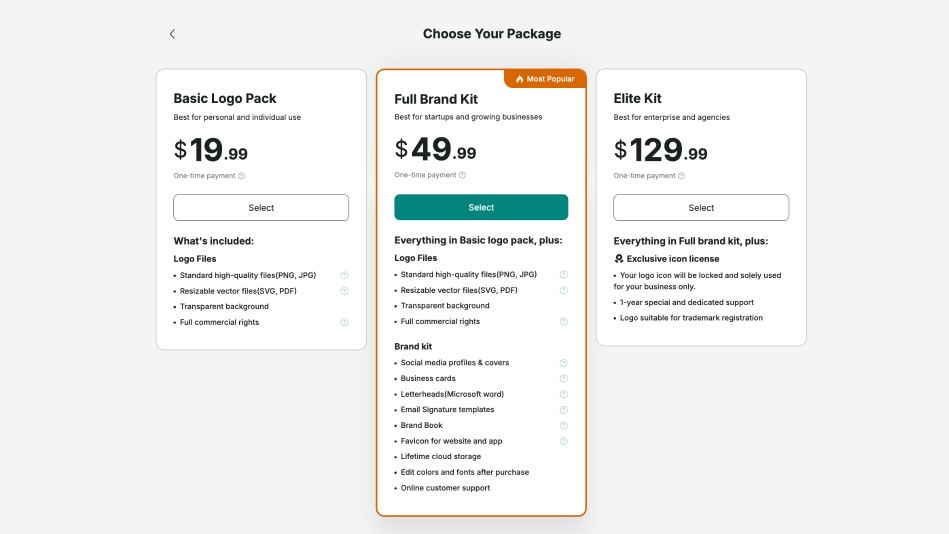
Step 5:Click the ‘Select’ button.
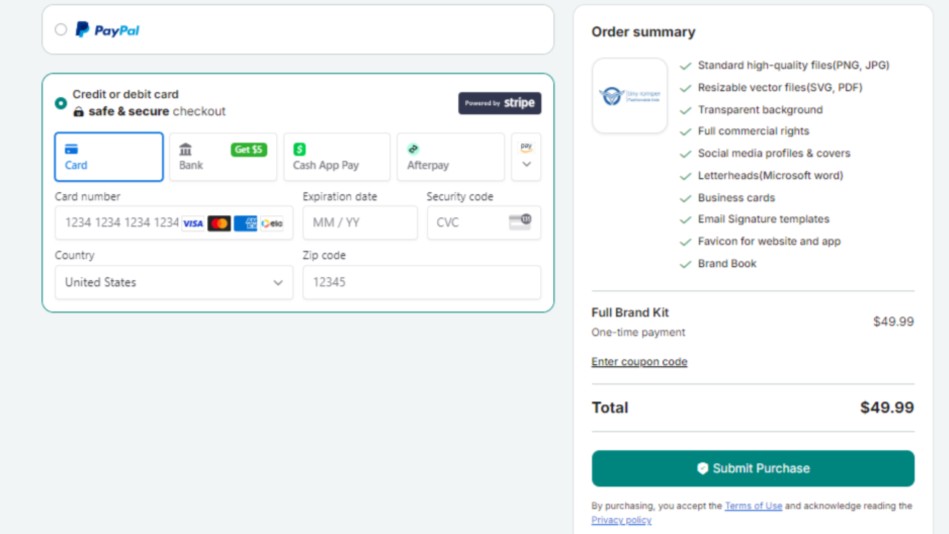
Step 6:Enter your payment and country details.
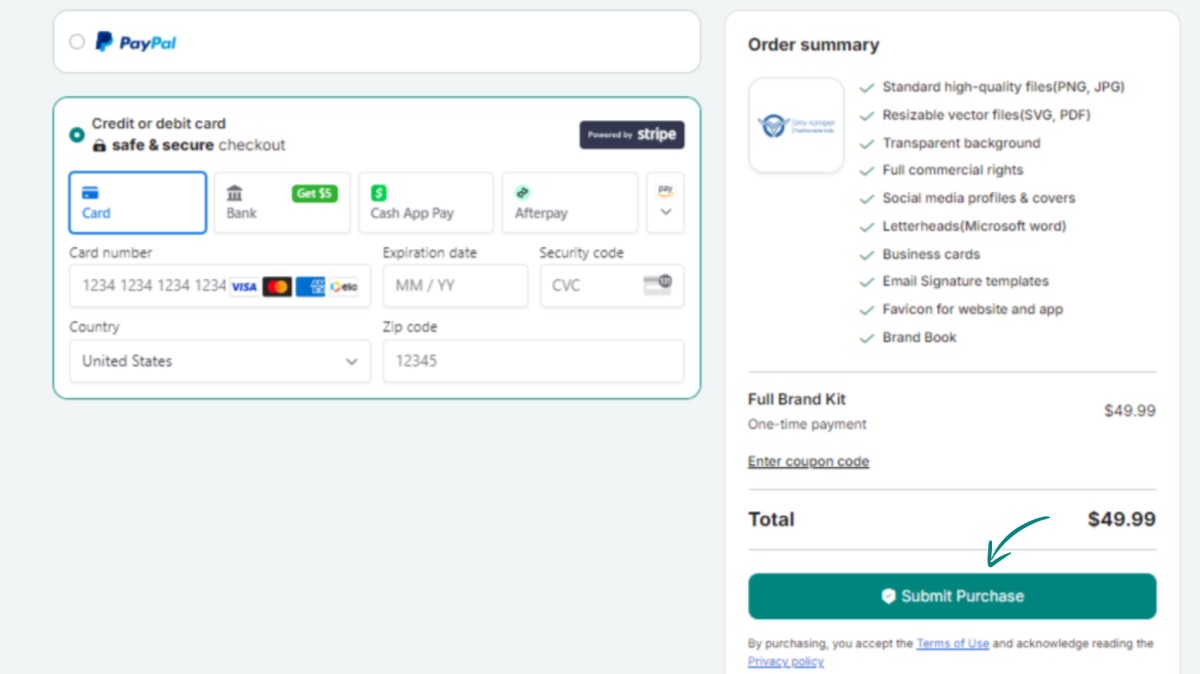
Step 7:Finalize your purchase by clicking ‘Submit Purchase.’
Ricevi newsletter esclusive
Iscriviti ora per ricevere gli ultimi aggiornamenti direttamente nella tua casella di posta. Non perderli!
Consigliato per te


Prova il Logo Maker di Zoviz
Inserisci il nome del tuo brand e ottieni opzioni di logo in pochi secondi.


