
How To Pay With Credit Card?

How To Pay With a Credit Card?
It's easy to choose and download logos and brand kits from Zoviz, whether you pick the Basic, Brandkit, or Elite package. You can purchase with a credit card, PayPal, or other options from your user dashboard. Our secure payment process makes getting your logo and brand kit simple. Just follow these easy steps:
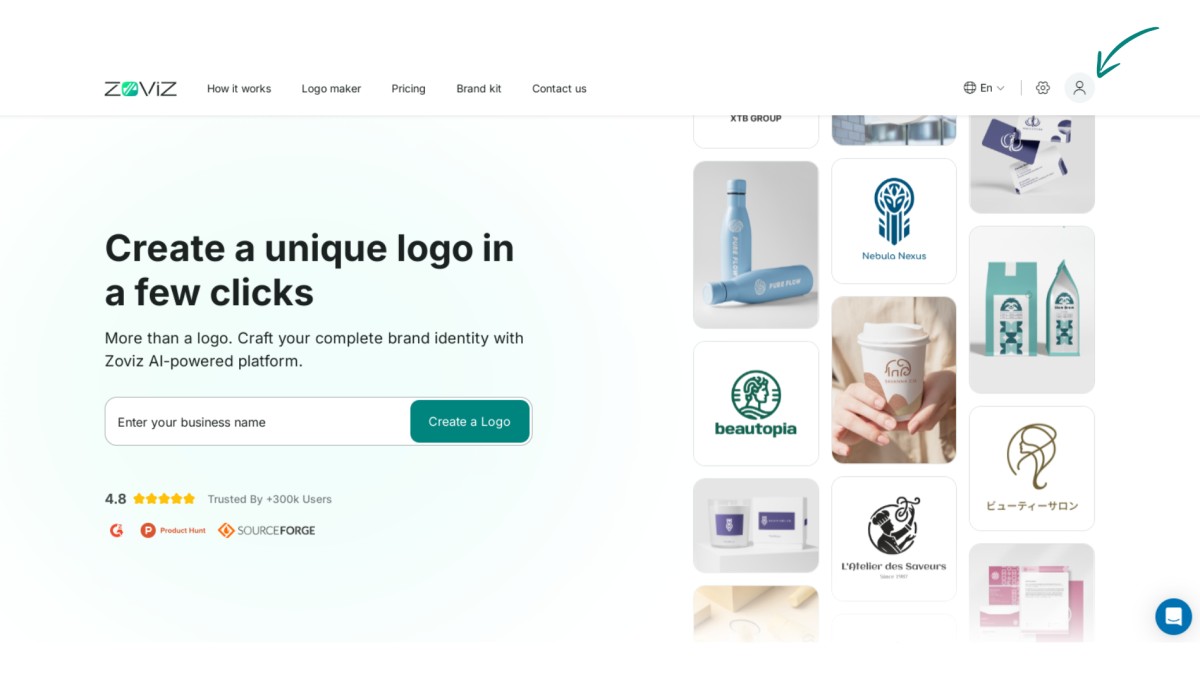
Step 1:Click on the profile icon in the top right corner.
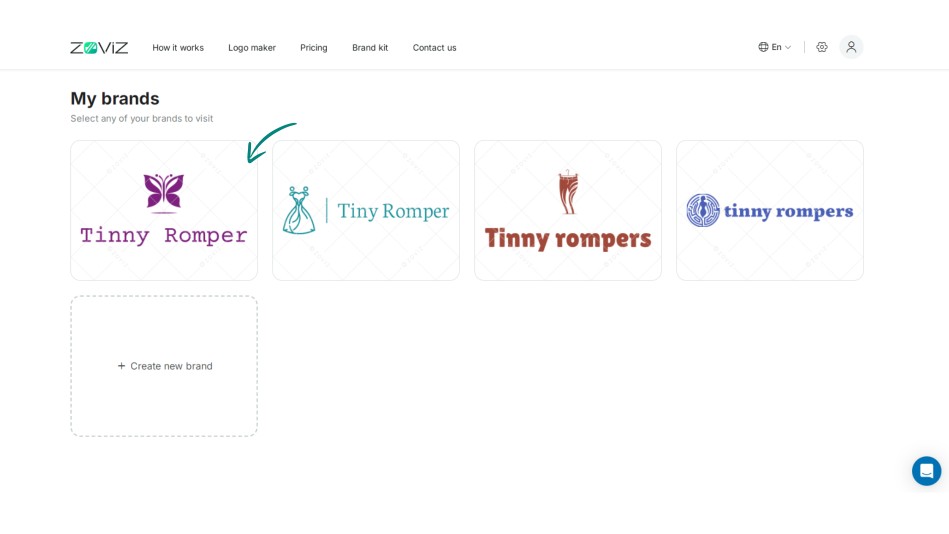
Step 2:Select the logo you want to purchase.
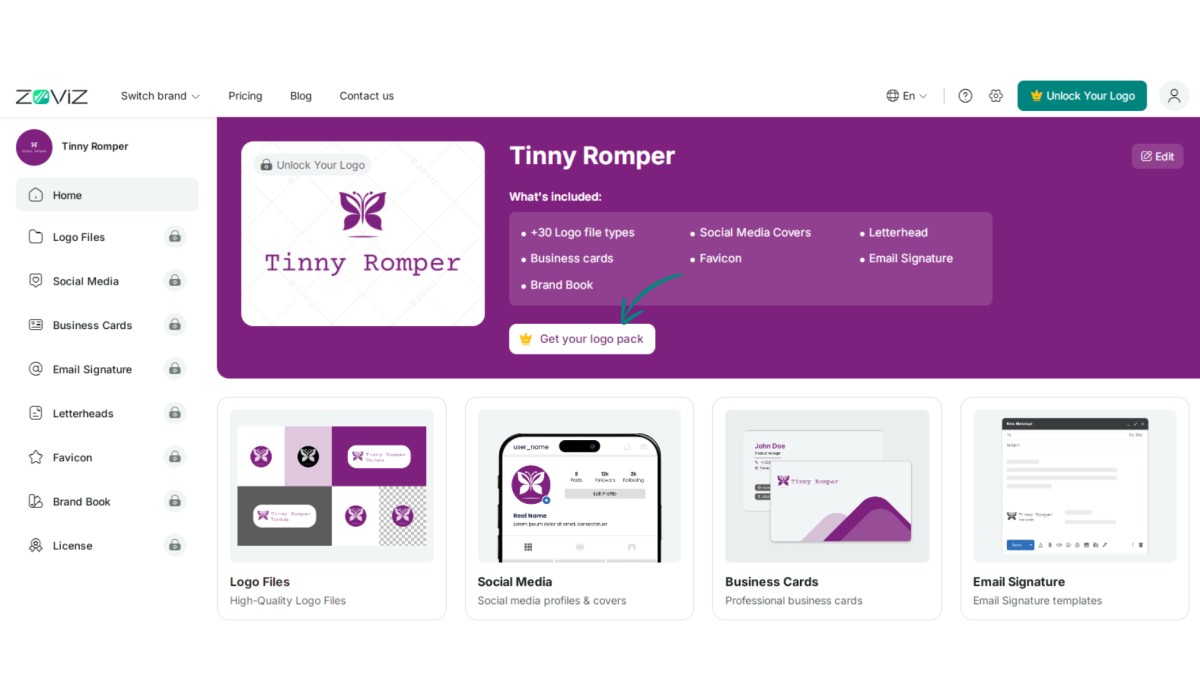
Step 3:Click the ‘Get Your Logo Pack’ button.
Step 4:Choose the logo package that suits you best.
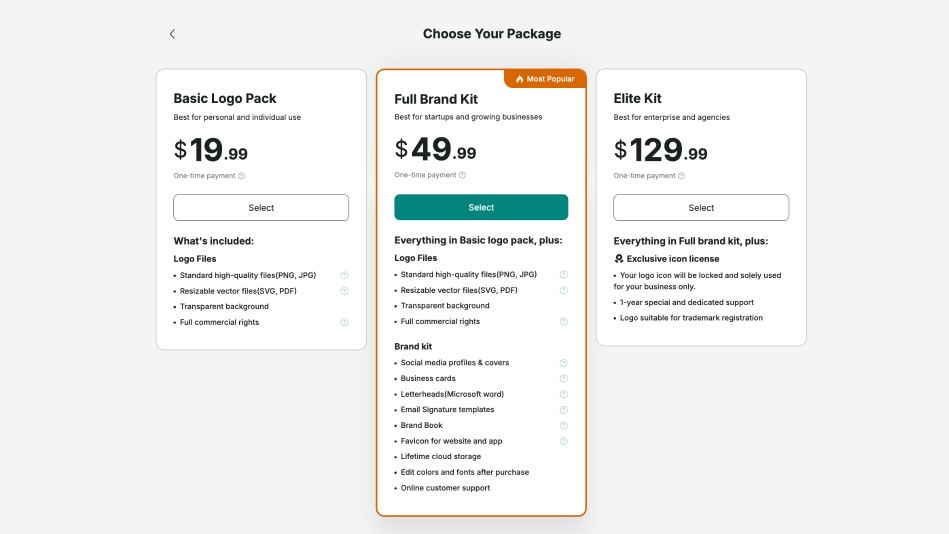
Step 5:Click the ‘Select’ button.
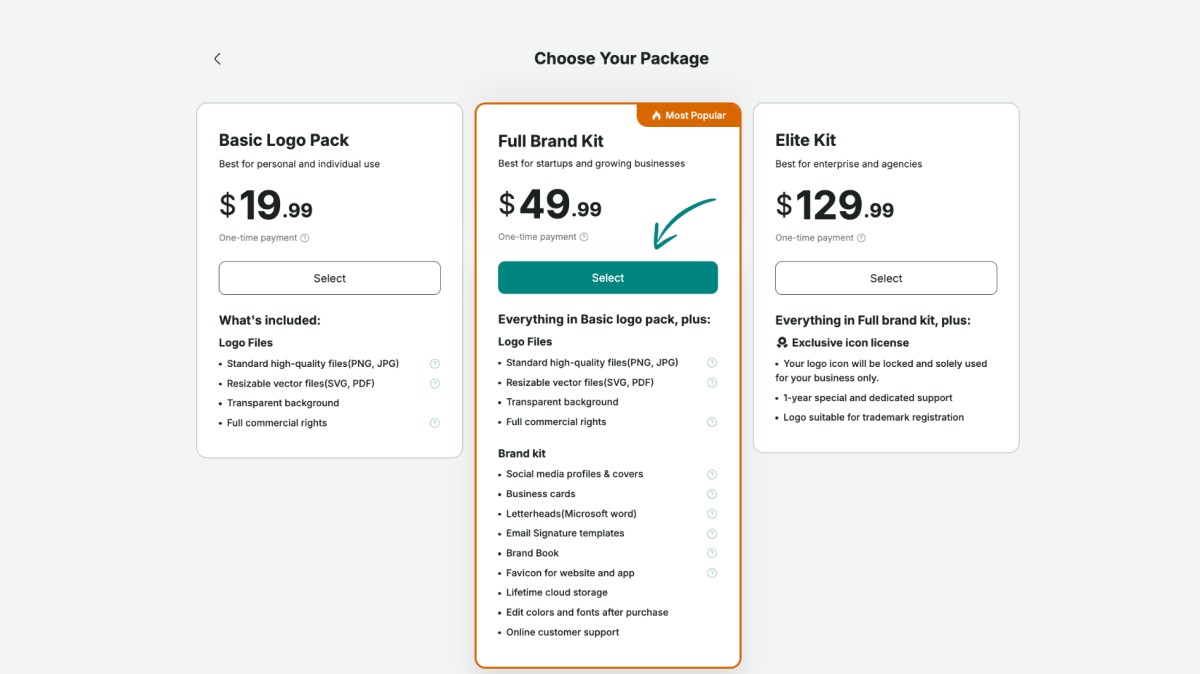
Step 6:Enter your payment and country details.
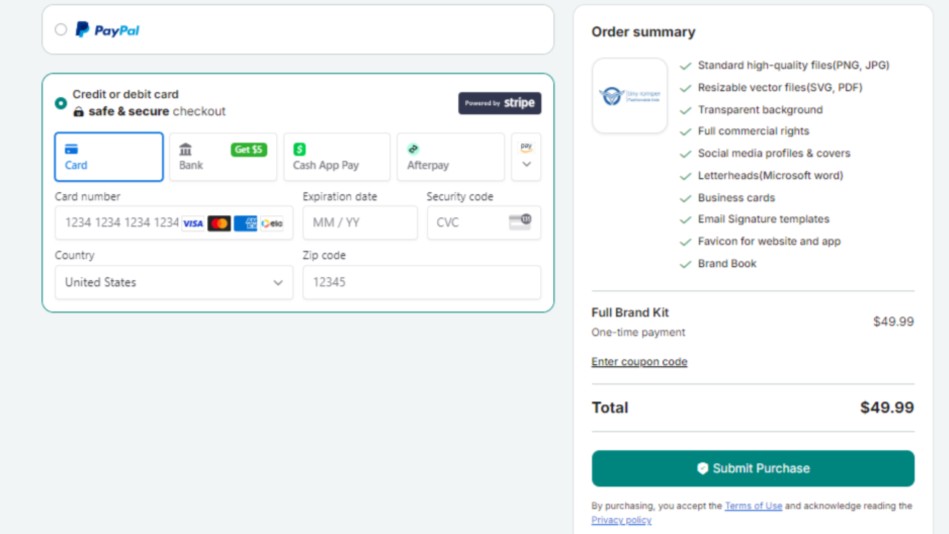
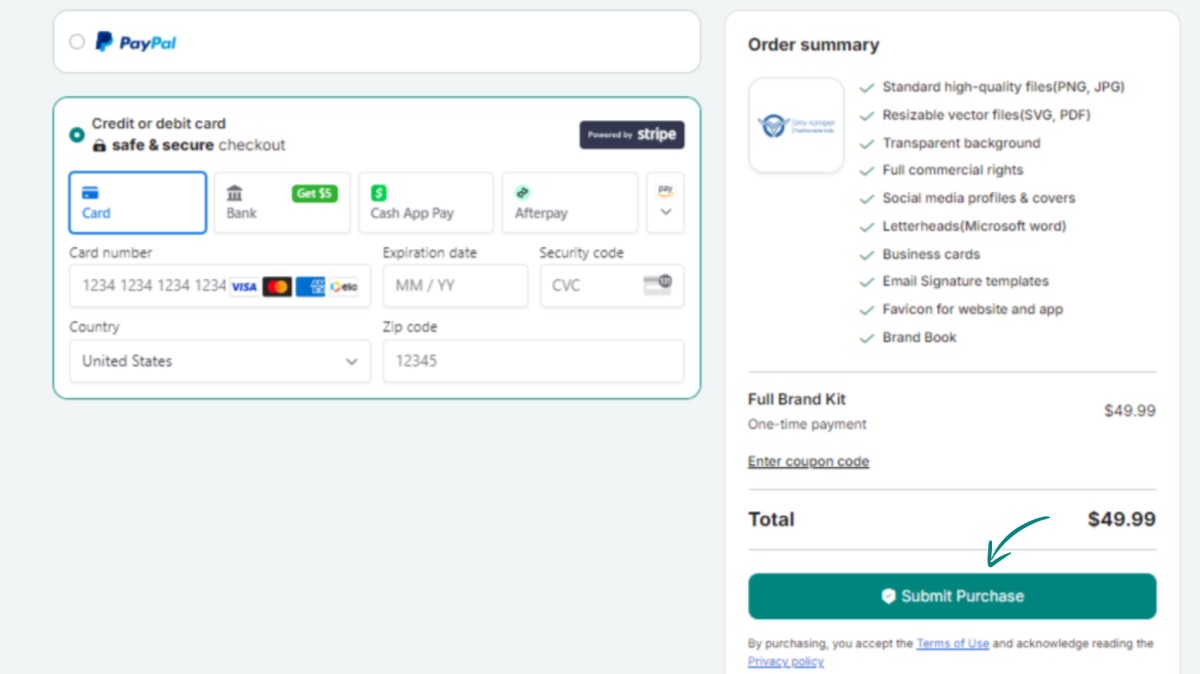
Step 7:Finalize your purchase by clicking ‘Submit Purchase.’
获取独家资讯简报
立即订阅,最新资讯将直接发送到您的收件箱。千万不要错过!
为你推荐


试用Zoviz标志生成器
输入您的品牌名称,几秒钟内获取logo选项。


