
How to create business cards?

How to create business cards?
Creating high-quality business cards with Zoviz is quite easy and fast. As far as business accessories go, business cards are a great way to introduce yourself and share some of your information in a compact, highly appealing manner. Here are the simple yet logical steps on how to make a business card that would give the right image of your business venture.
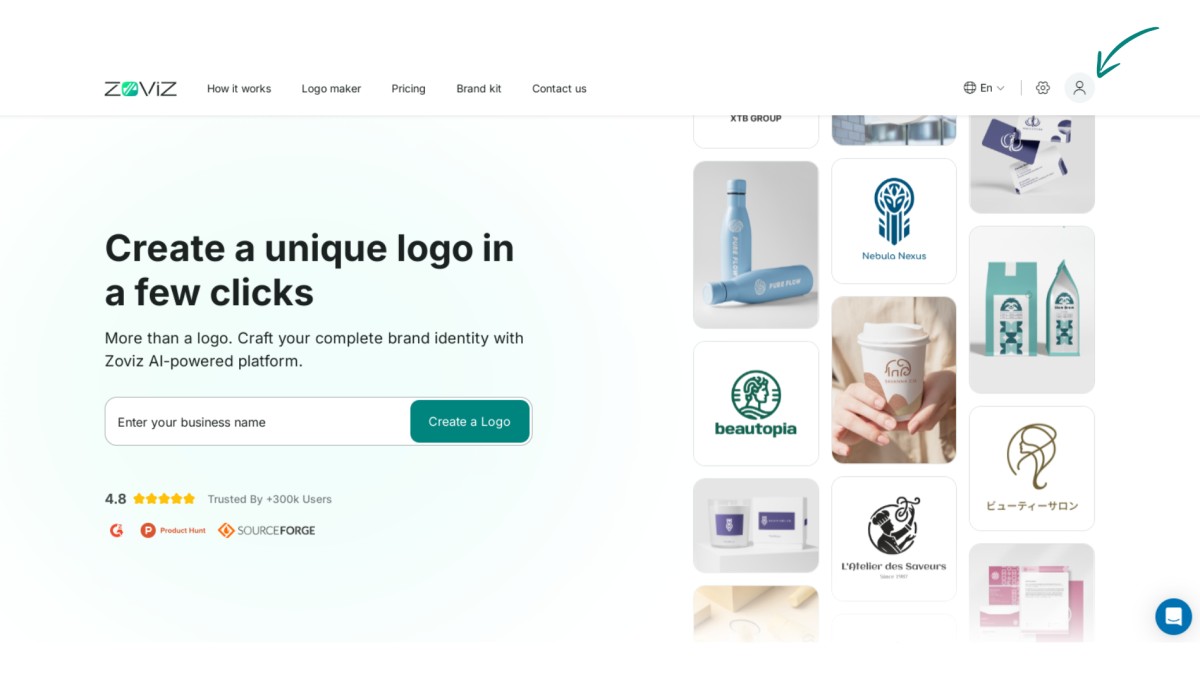
Step 1. Click the profile icon in the top right corner.
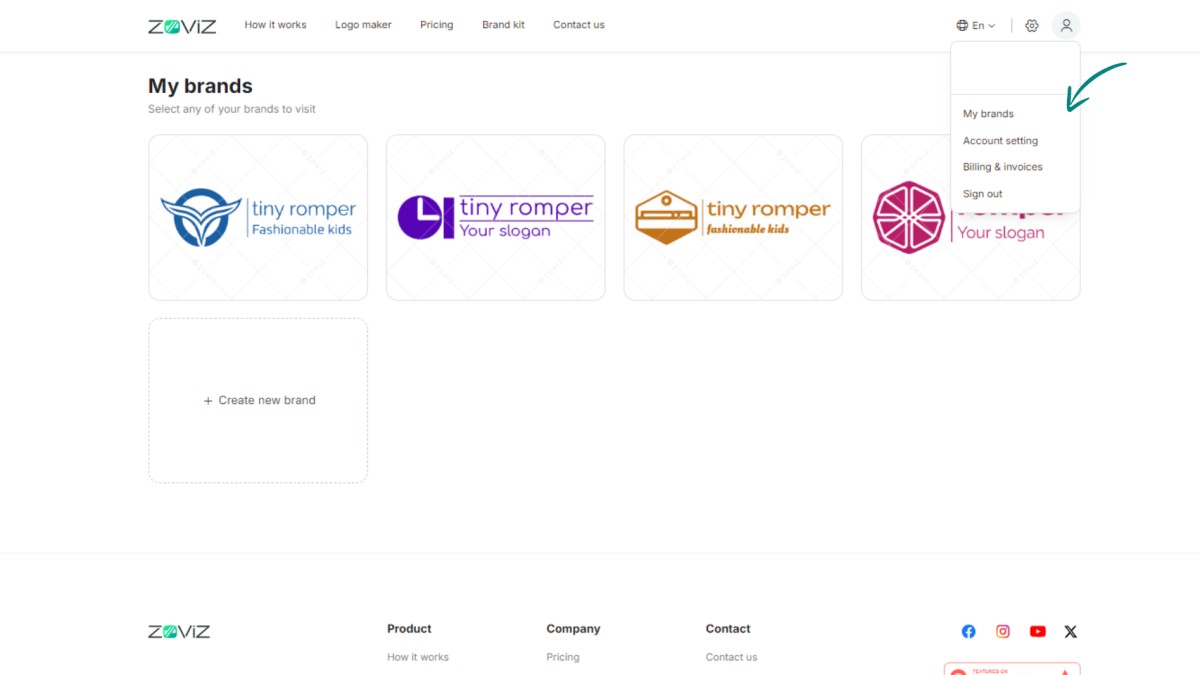
Step 2. Select the ‘My Brands’ option.
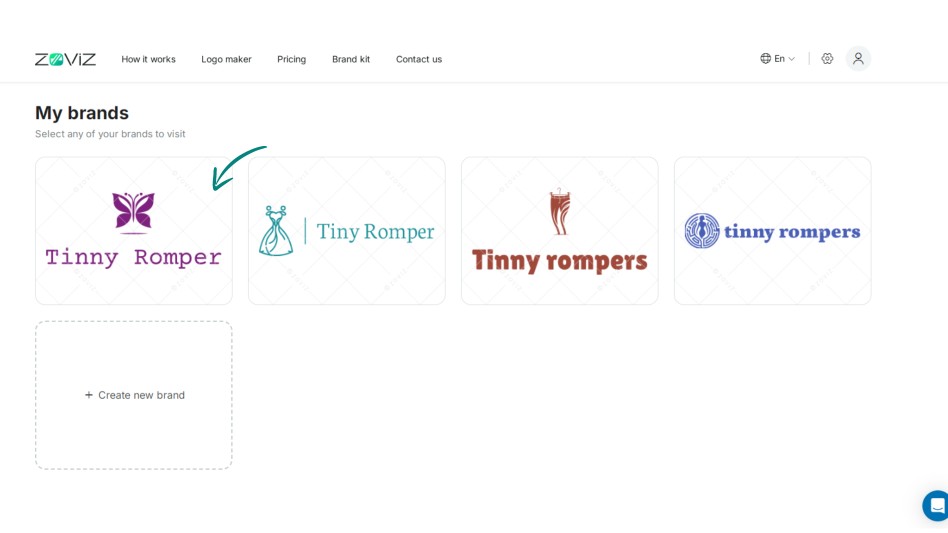
Step 3. Choose the logo you want to use for your business card.
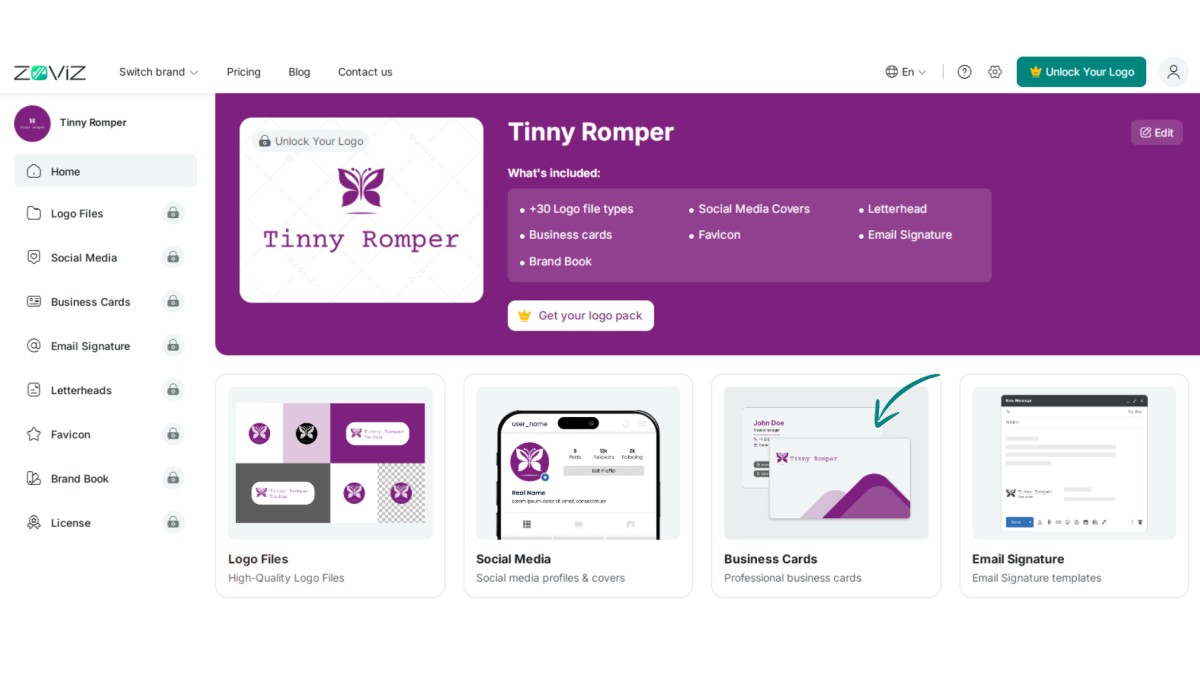
Step 4. Click on the ‘Business Cards’ button.
Step 5. Pick your preferred design.
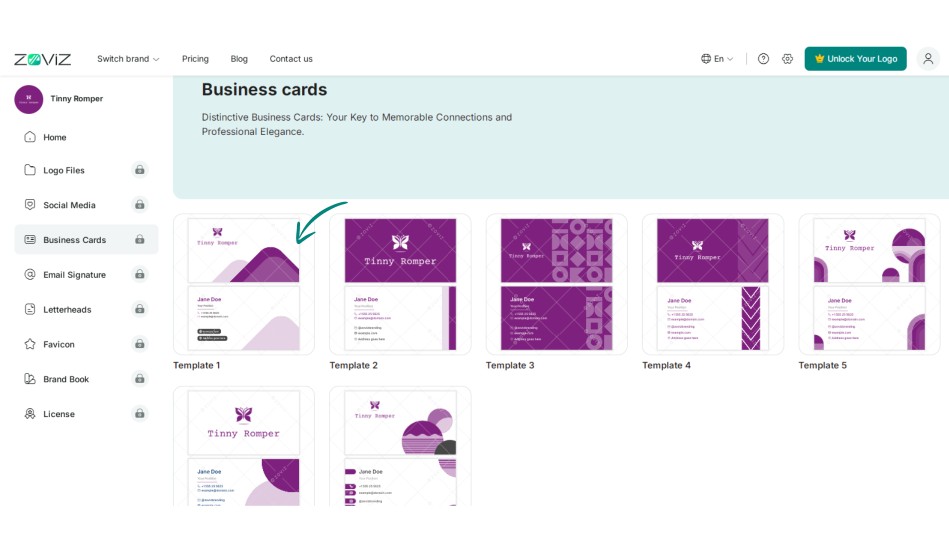
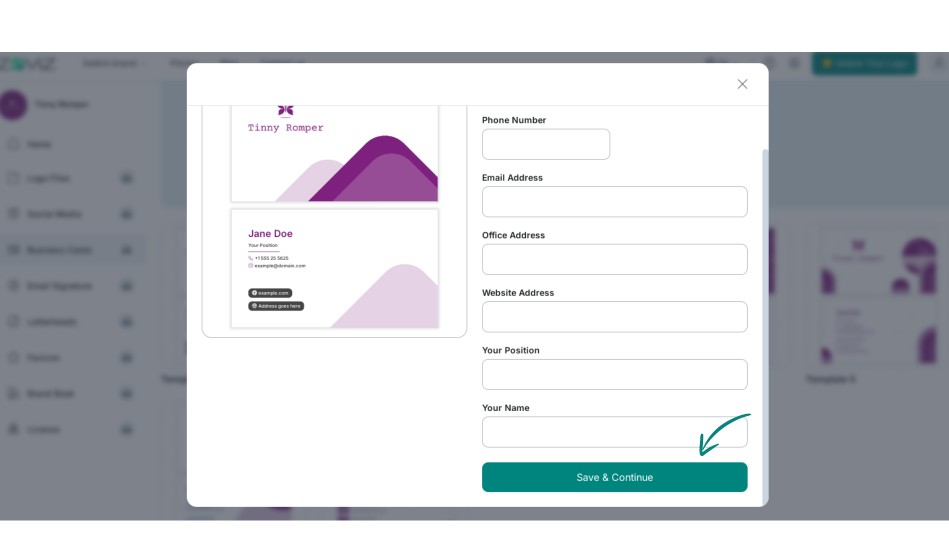
Step 6. Click on Save and Continue.
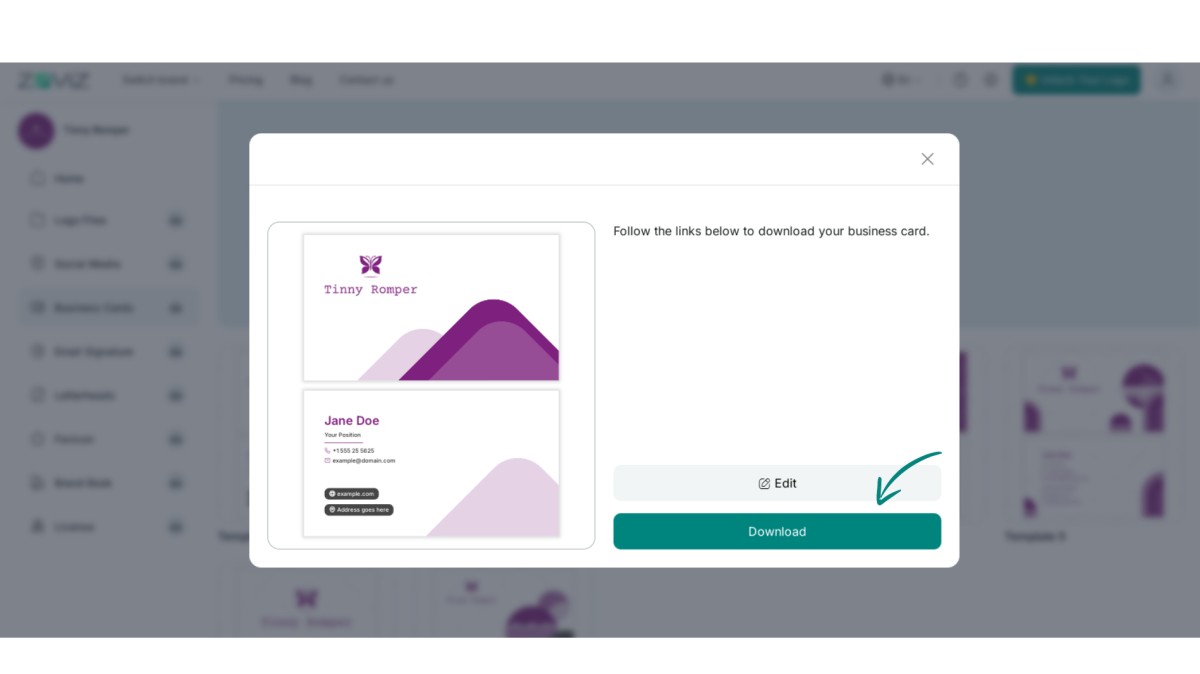
Step 7. Download your business card by clicking the ‘Download’ button.
독점 뉴스레터 받기
최신 소식을 이메일로 바로 받아보려면 지금 구독하세요. 놓치지 마세요!
회원님을 위한 추천


Zoviz 로고 메이커를 사용해보세요
브랜드 이름을 입력하면 몇 초 만에 로고 옵션을 받을 수 있습니다.


