
How to create business cards?

How to create business cards?
Creating high-quality business cards with Zoviz is quite easy and fast. As far as business accessories go, business cards are a great way to introduce yourself and share some of your information in a compact, highly appealing manner. Here are the simple yet logical steps on how to make a business card that would give the right image of your business venture.
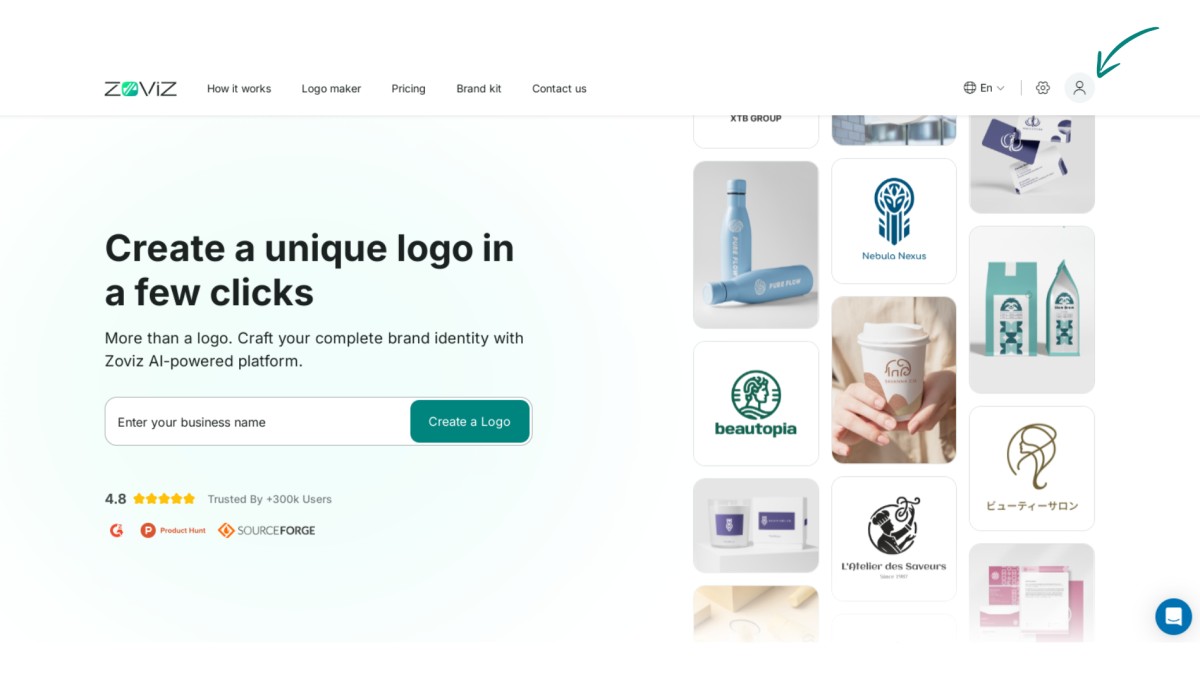
Step 1. Click the profile icon in the top right corner.
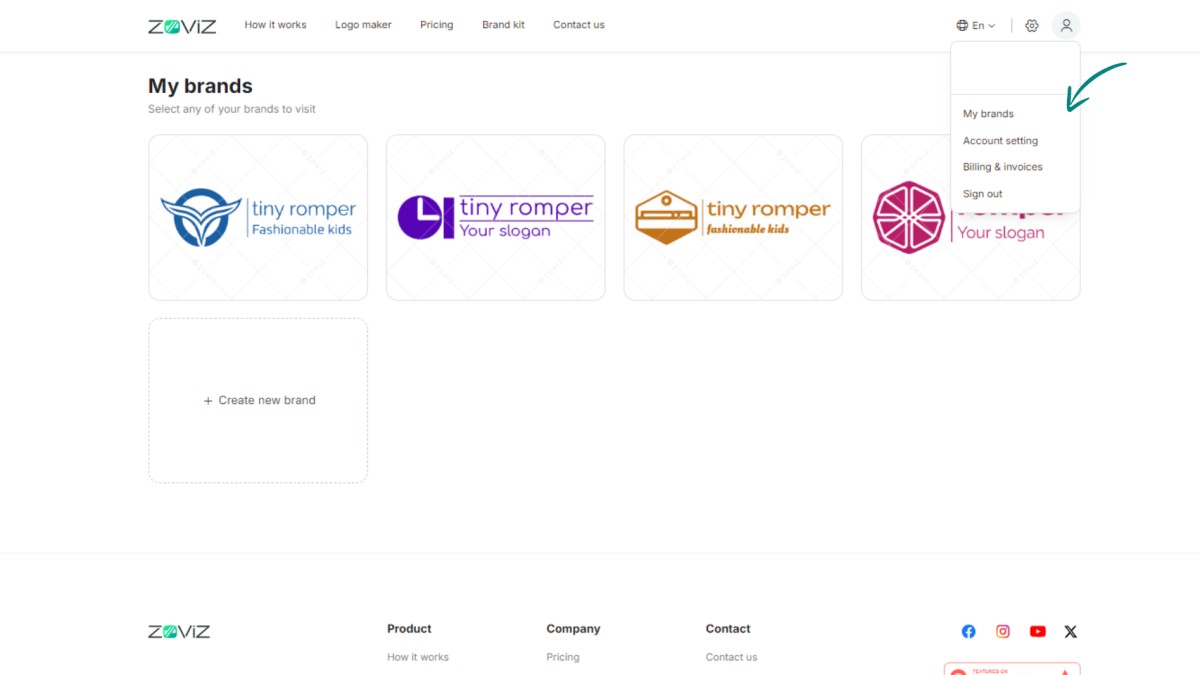
Step 2. Select the ‘My Brands’ option.
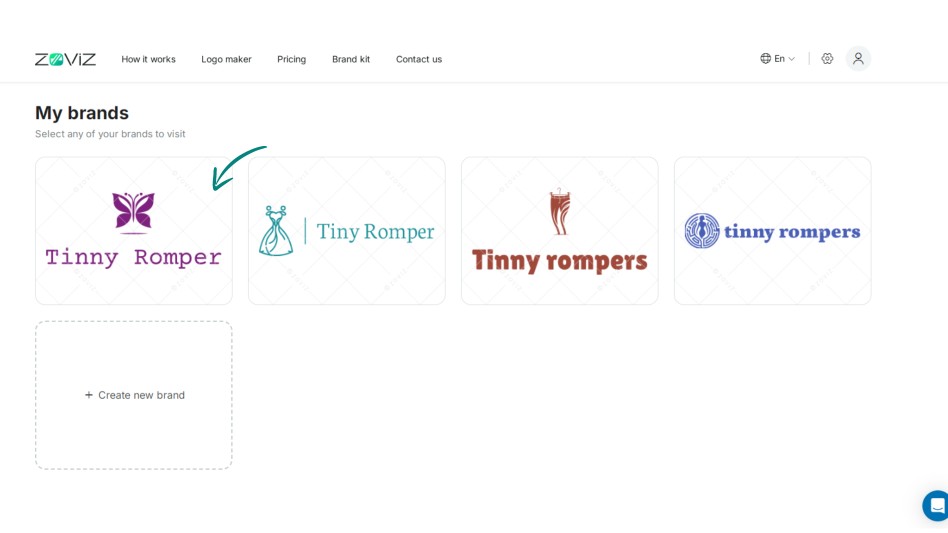
Step 3. Choose the logo you want to use for your business card.
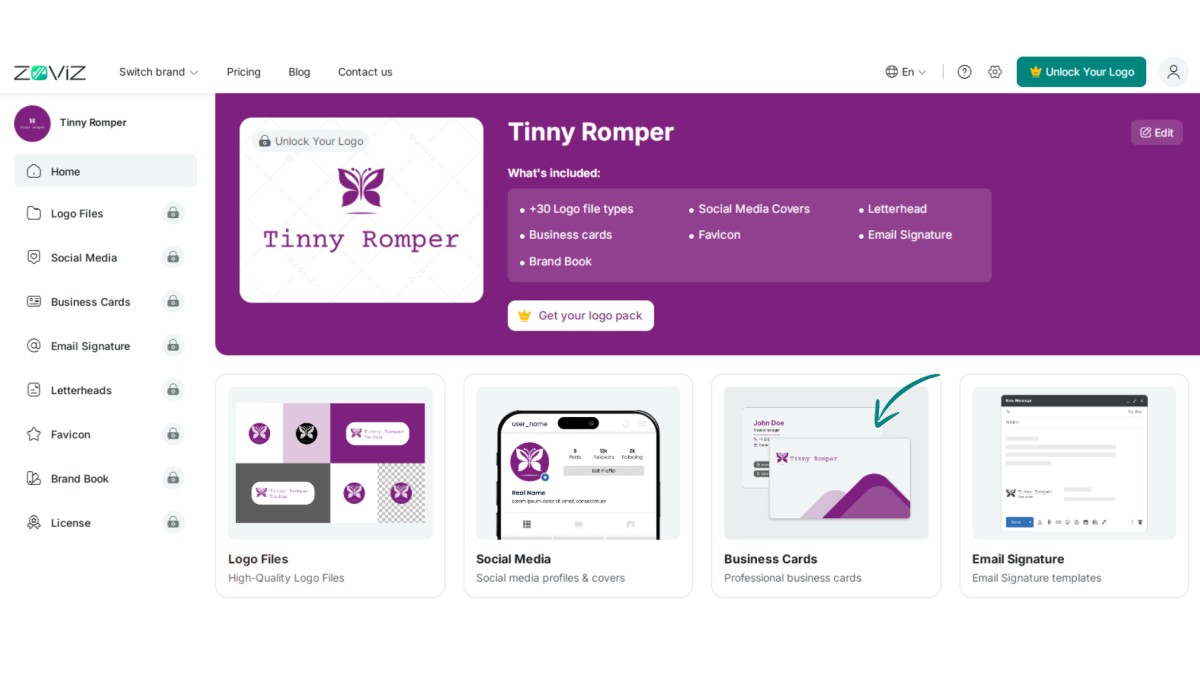
Step 4. Click on the ‘Business Cards’ button.
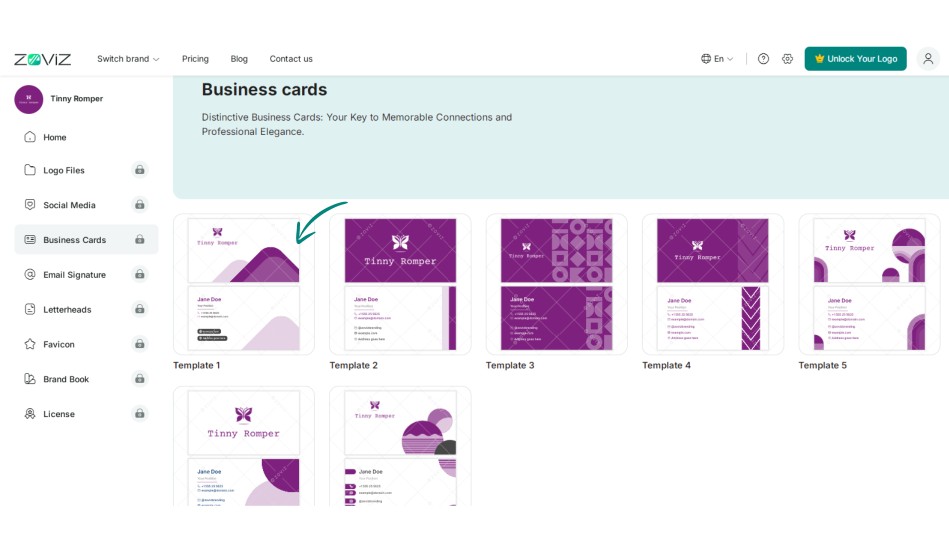
Step 5. Pick your preferred design.
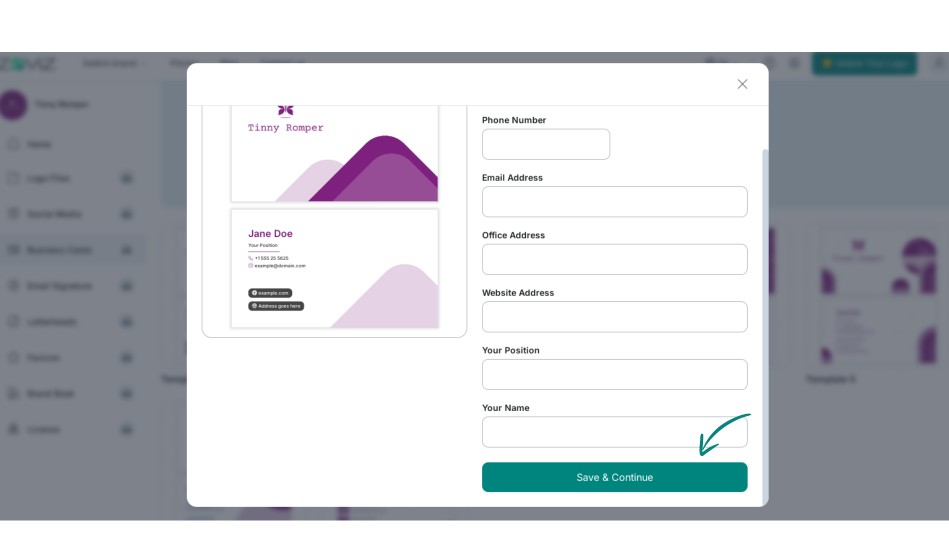
Step 6. Click on Save and Continue.
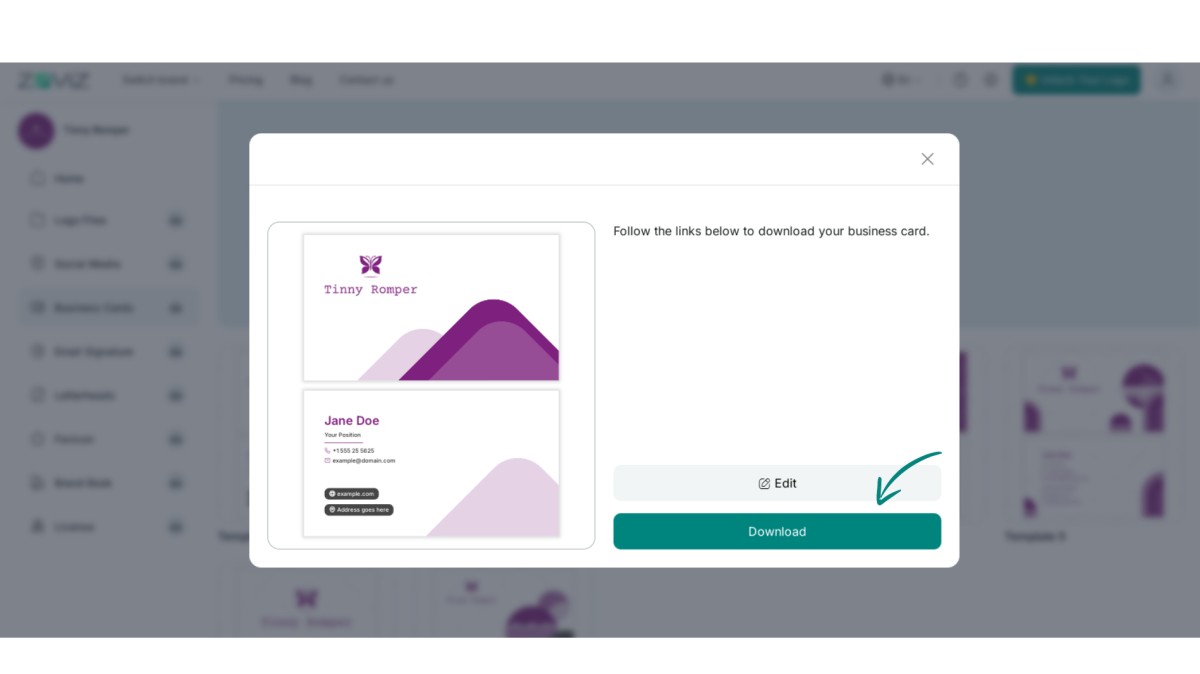
Step 7. Download your business card by clicking the ‘Download’ button.
获取独家资讯简报
立即订阅,最新资讯将直接发送到您的收件箱。千万不要错过!


