
How to Use a Discount Coupon Code?

Save better on Zoviz in several easy steps! Read on to use a discount code you do not know how to apply. Let’s guide you through how to use your discount code successfully in the next couple of steps.
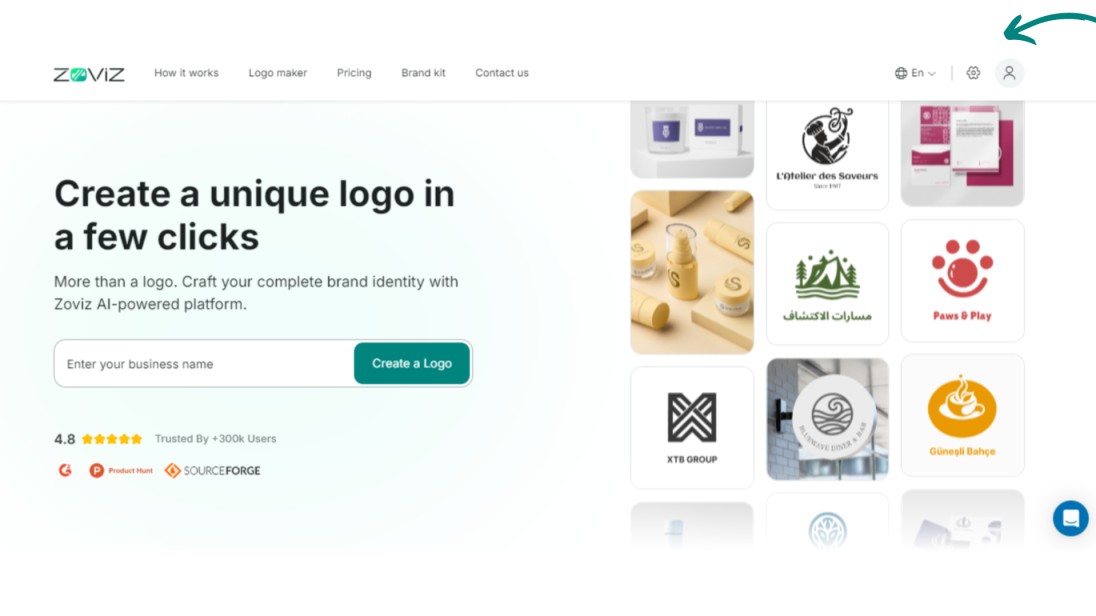
Step 1. Navigate to the upper right of the top bar and click the profile button.
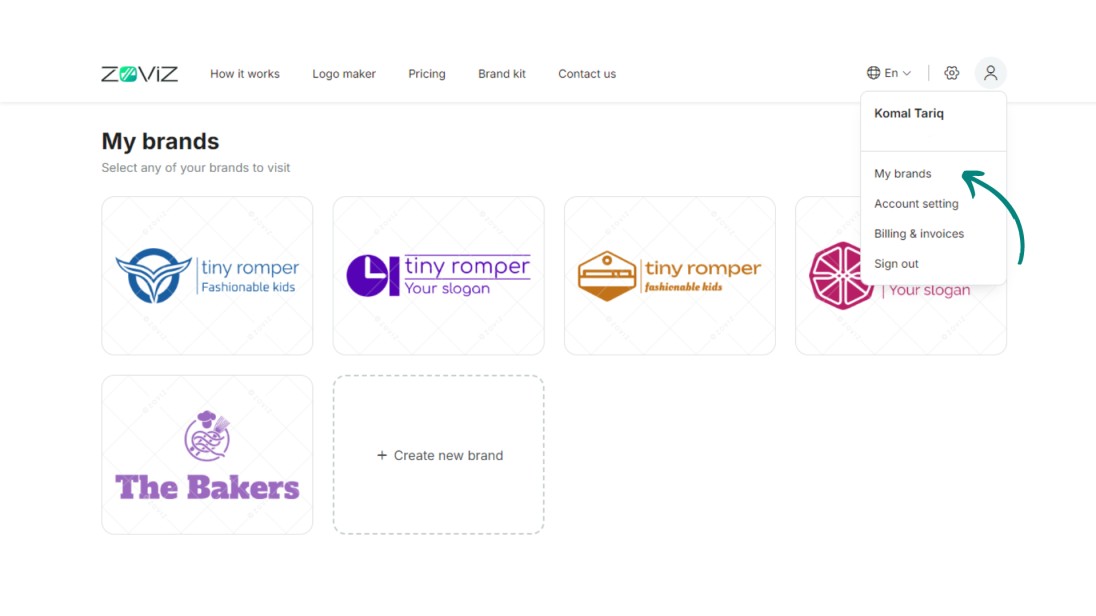
Step 2. Click on ‘My Brands.’
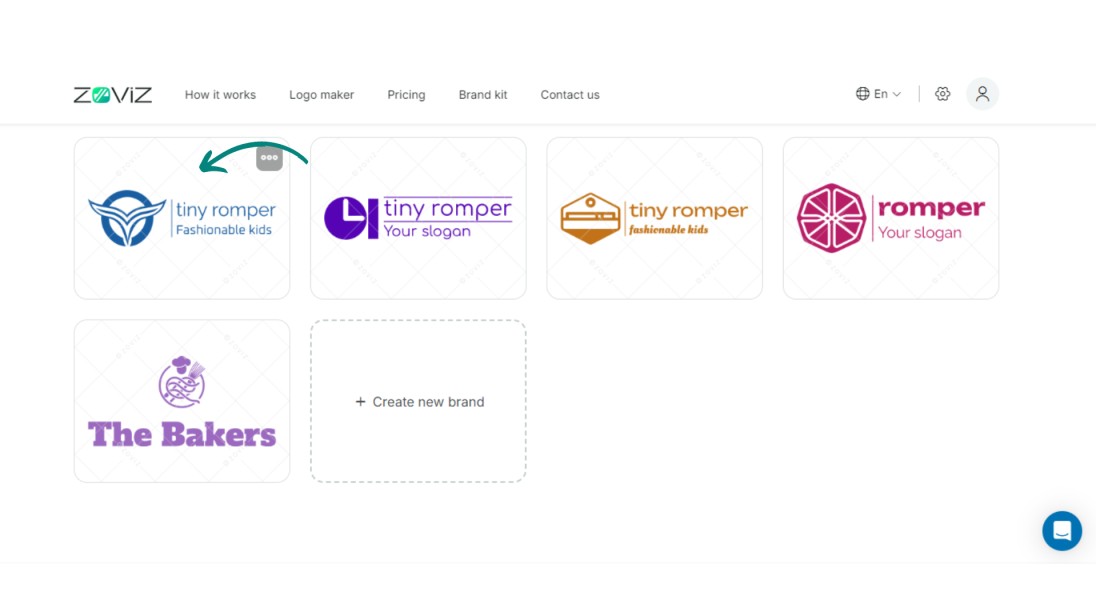
Step 3. Select the logo for the discount that you wish to apply.
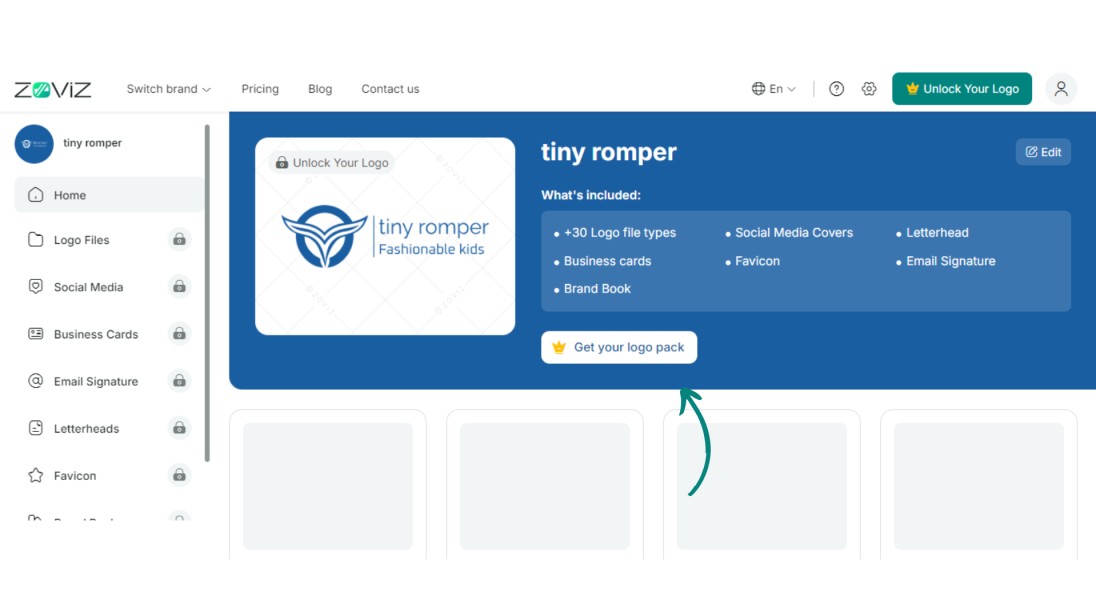
Step 4. Click on "Get you logo pack"
Step 5. Choose your package and then click on ‘Continue.’
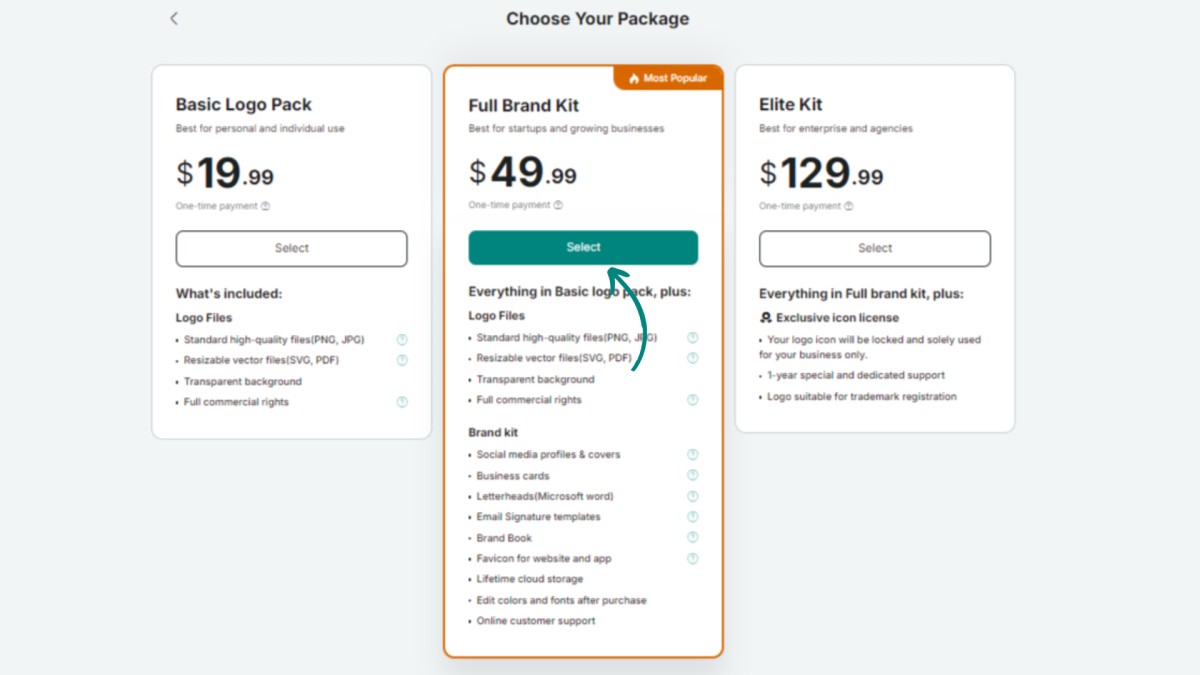
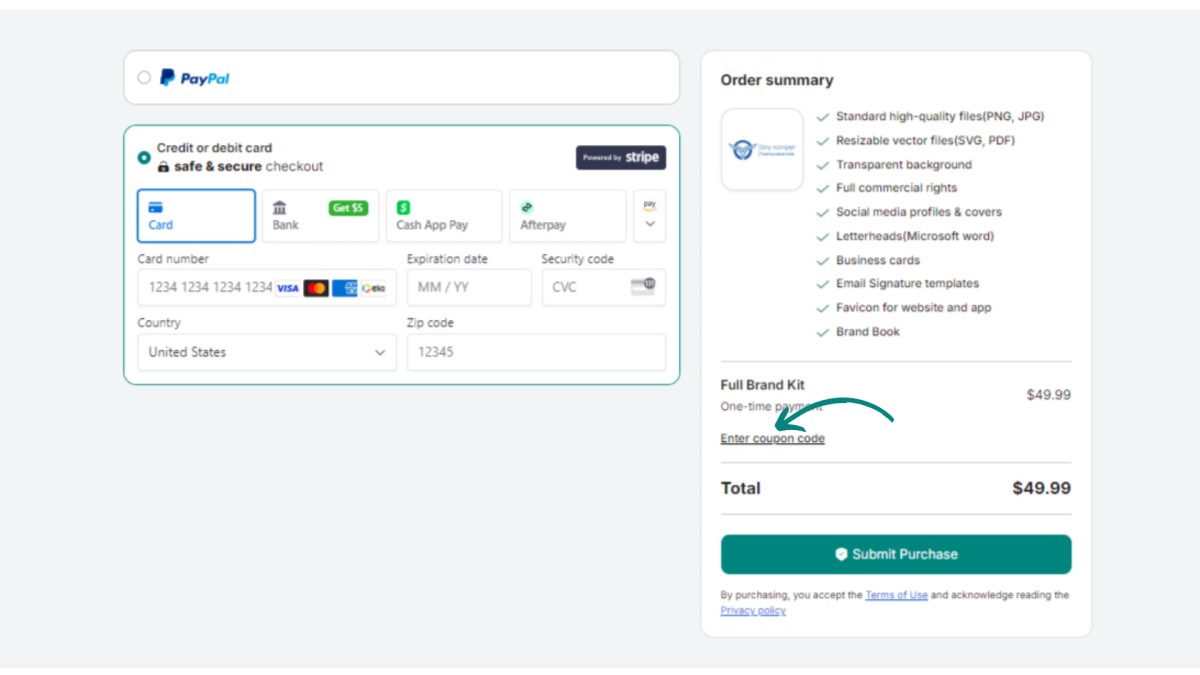
Step 6. Proceed and click on the “Enter coupon code” button.
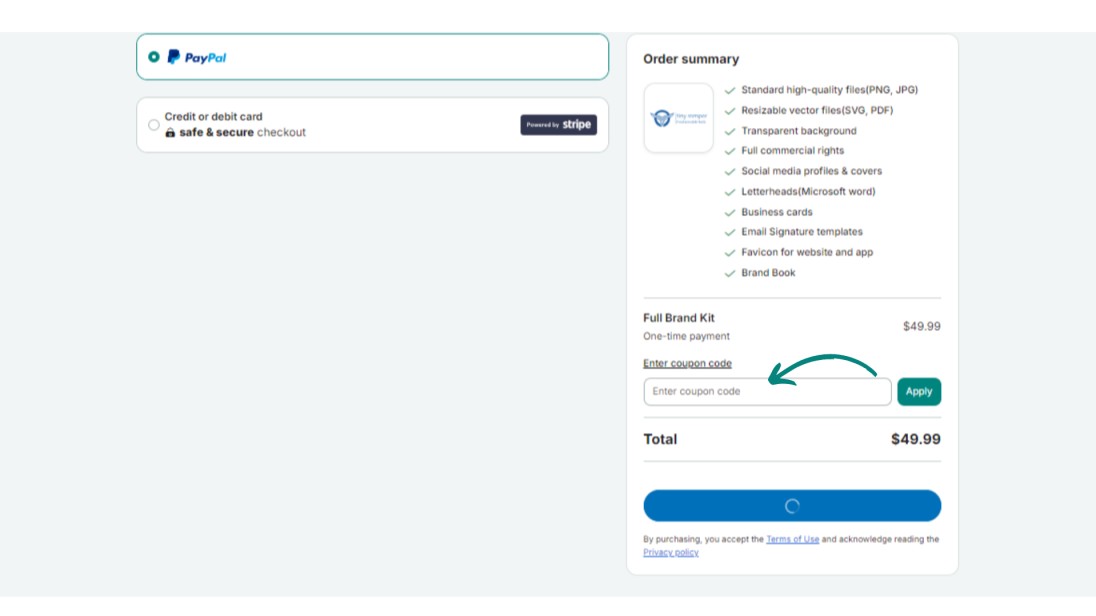
Step 7. Enter the coupon code and click the “Apply” button.
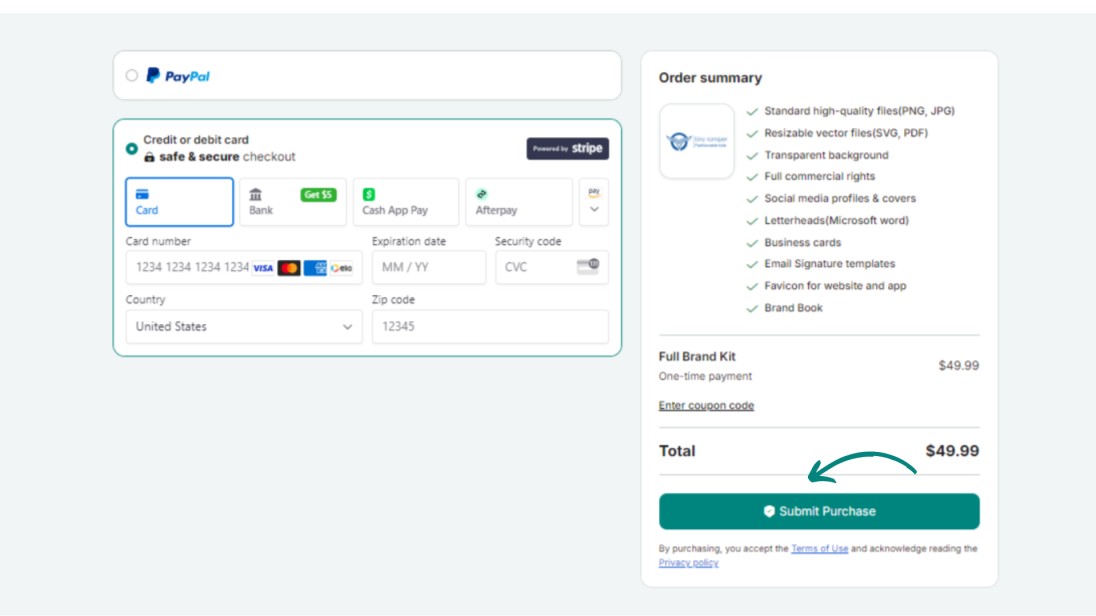
Step 8. Proceed with your discounted purchase
限定ニュースレターを受け取る
最新情報をメールで直接受け取るために、今すぐご登録ください。お見逃しなく!
あなたへのおすすめ


Zovizのロゴメーカーを試す
ブランド名を入力すると、数秒でロゴの選択肢が表示されます。


