
How To Pay With Credit Card?

How To Pay With a Credit Card?
It's easy to choose and download logos and brand kits from Zoviz, whether you pick the Basic, Brandkit, or Elite package. You can purchase with a credit card, PayPal, or other options from your user dashboard. Our secure payment process makes getting your logo and brand kit simple. Just follow these easy steps:
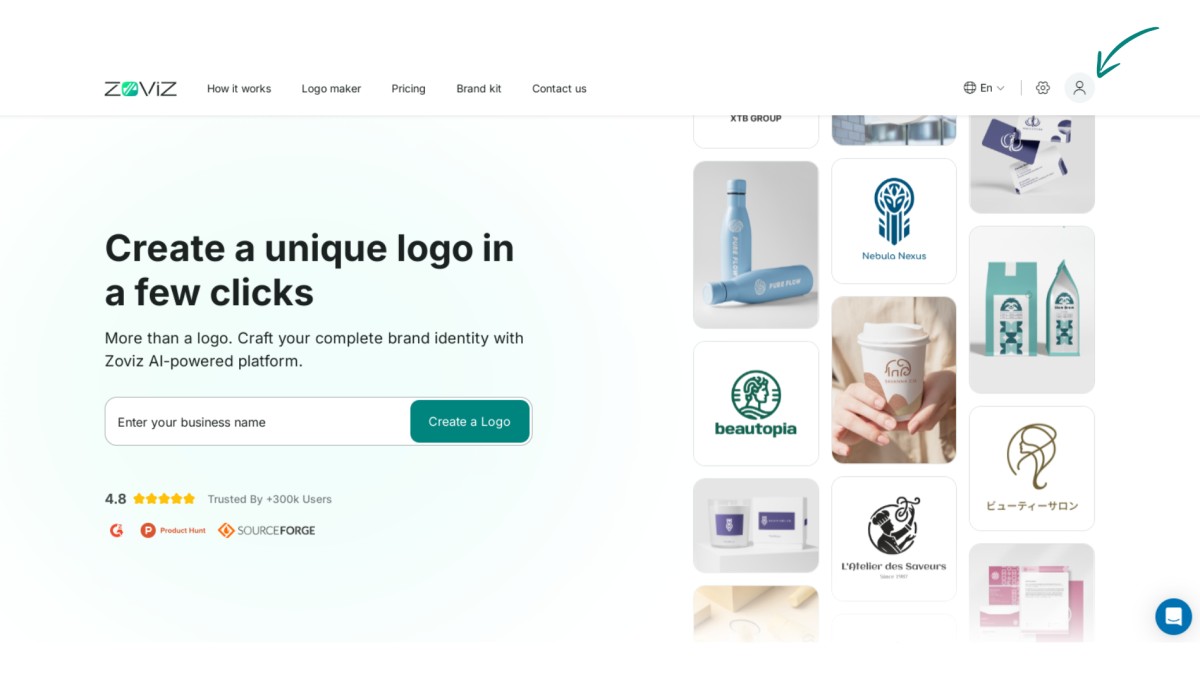
Step 1:Click on the profile icon in the top right corner.
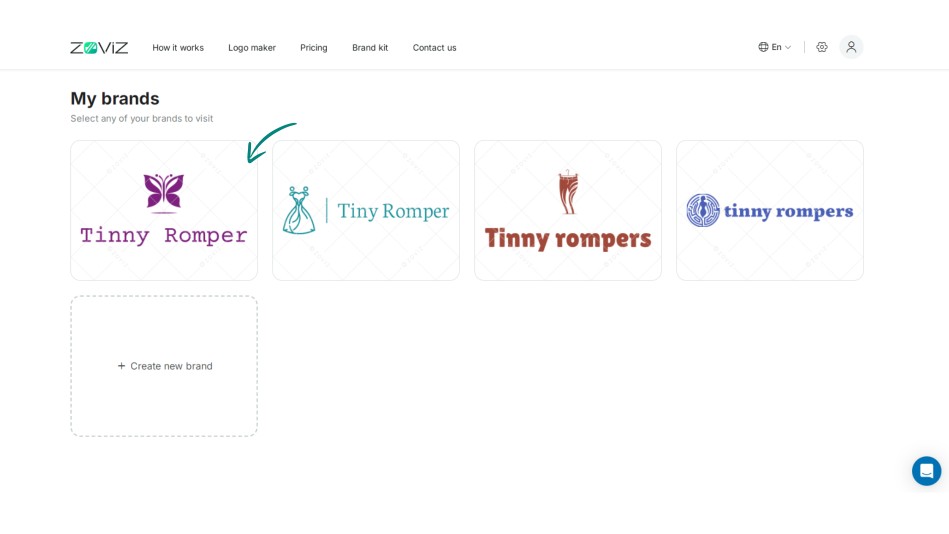
Step 2:Select the logo you want to purchase.
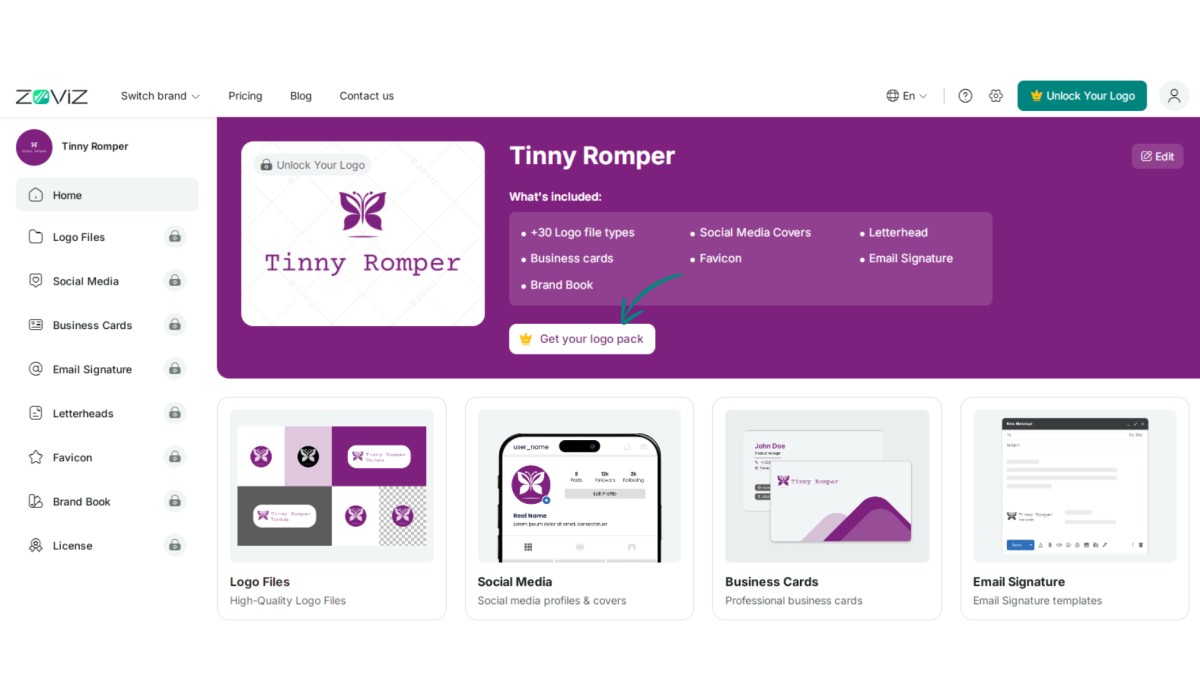
Step 3:Click the ‘Get Your Logo Pack’ button.
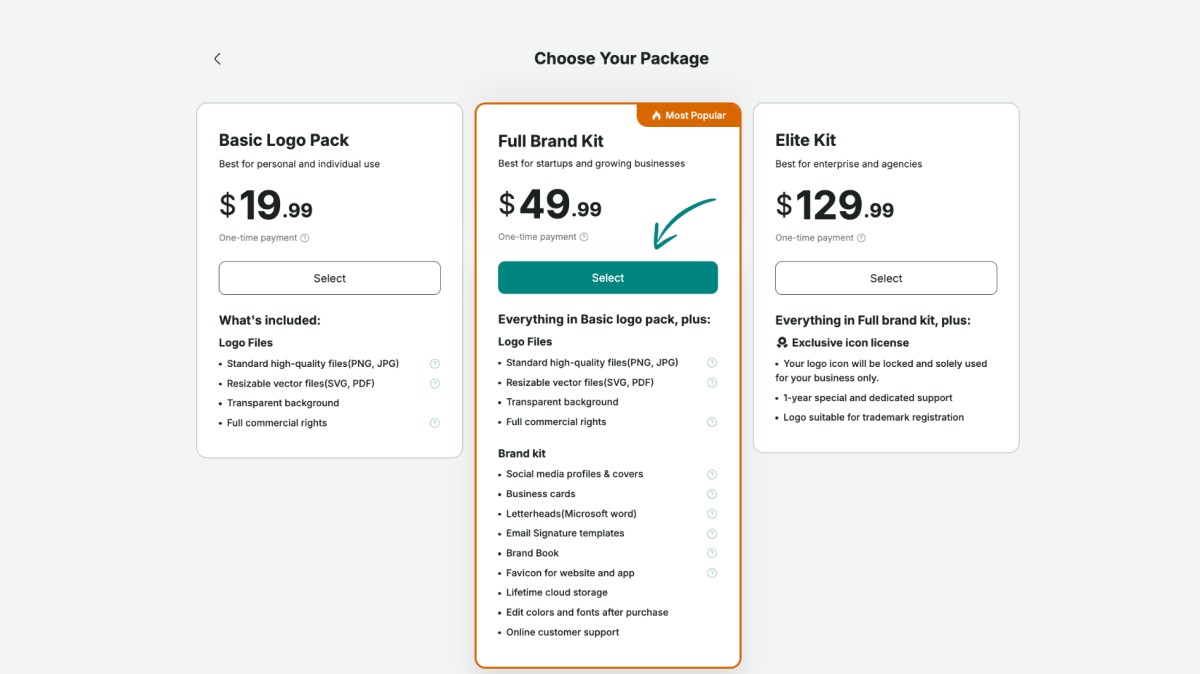
Step 4:Choose the logo package that suits you best.
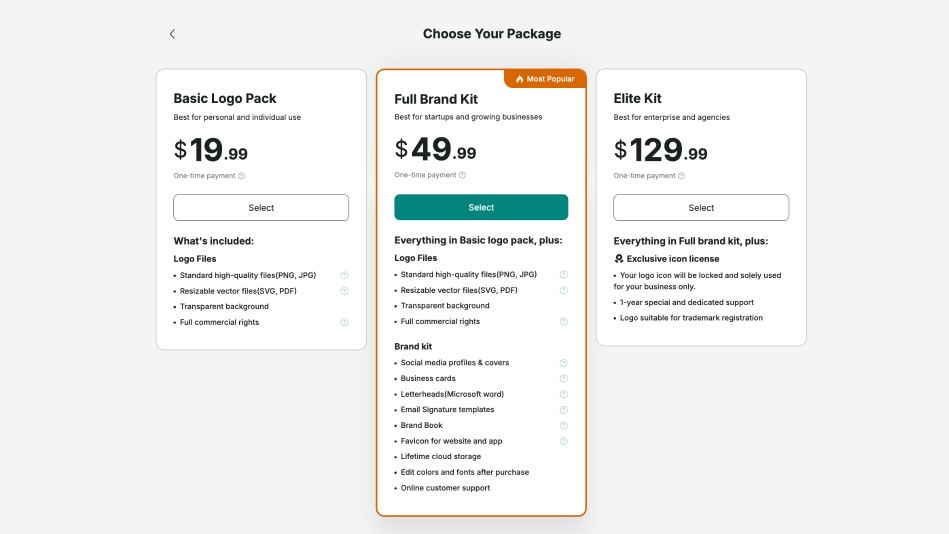
Step 5:Click the ‘Select’ button.
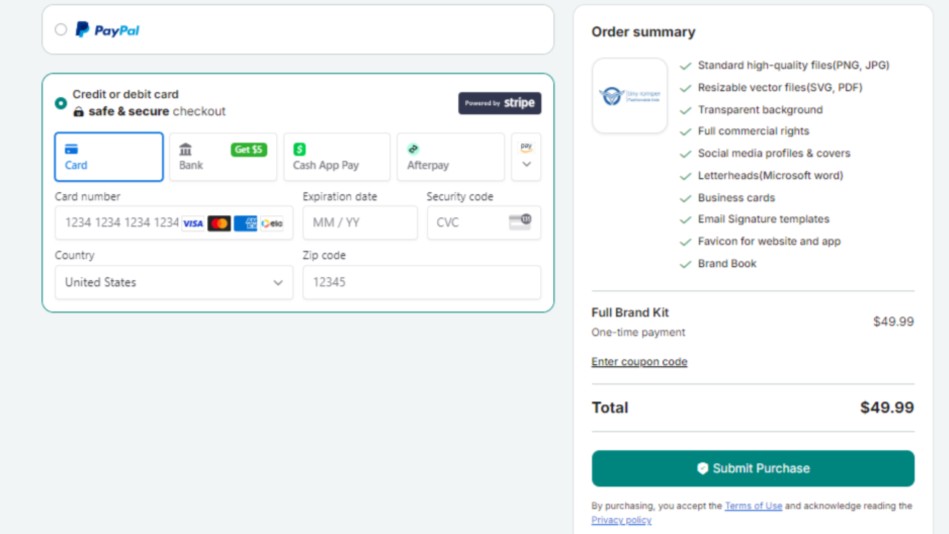
Step 6:Enter your payment and country details.
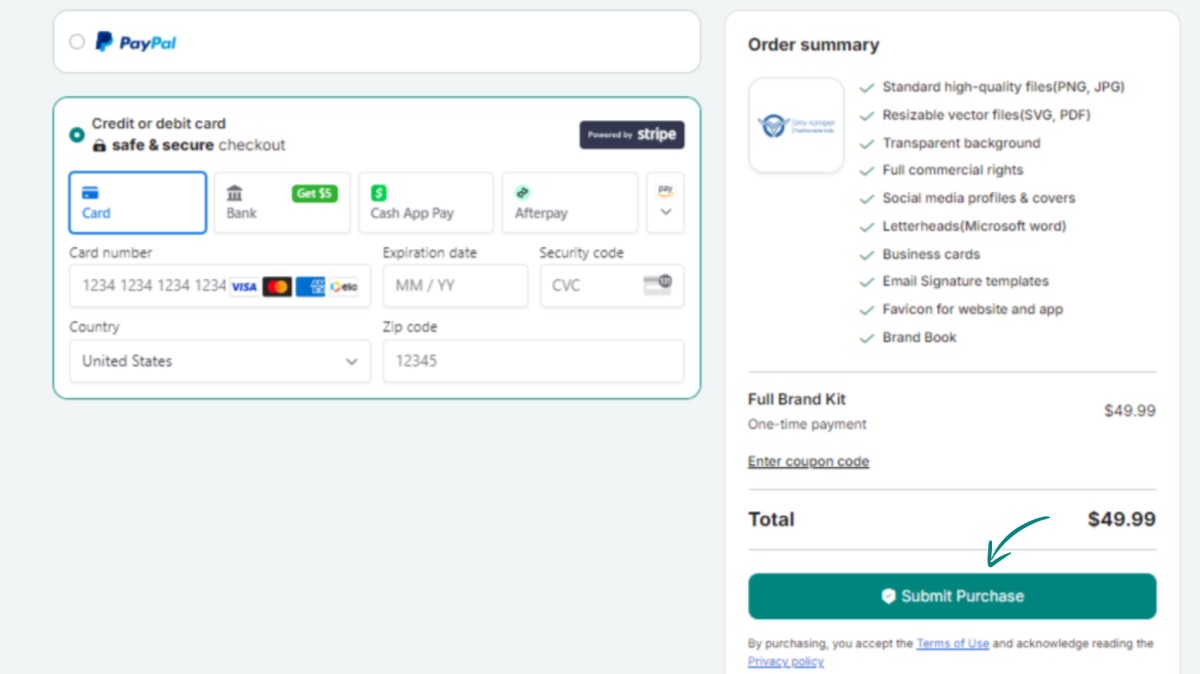
Step 7:Finalize your purchase by clicking ‘Submit Purchase.’
독점 뉴스레터 받기
최신 소식을 이메일로 바로 받아보려면 지금 구독하세요. 놓치지 마세요!
회원님을 위한 추천


Zoviz 로고 메이커를 사용해보세요
브랜드 이름을 입력하면 몇 초 만에 로고 옵션을 받을 수 있습니다.


