
How to Download Your Letterhead

How To Download Letterhead
A letterhead is a simple way to get your company name, logo, and physical address on the lower part of the document. This makes your business look legitimate and helps your clients develop trust in your products.
Here are simple instructions In this tutorial, we explain how to download letterhead in detail.
Step 1. Click the profile button in the top right corner.
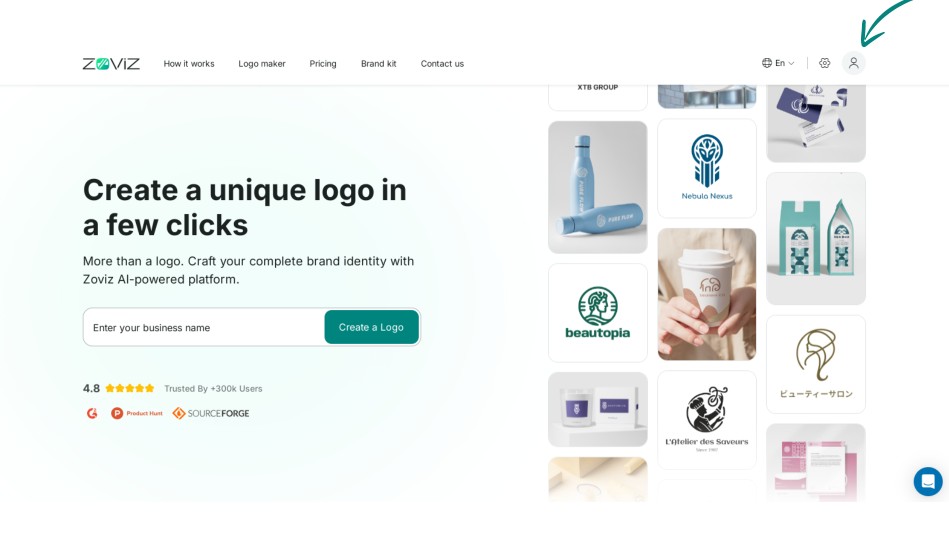
Step 2. Select "My Brands" from the menu.
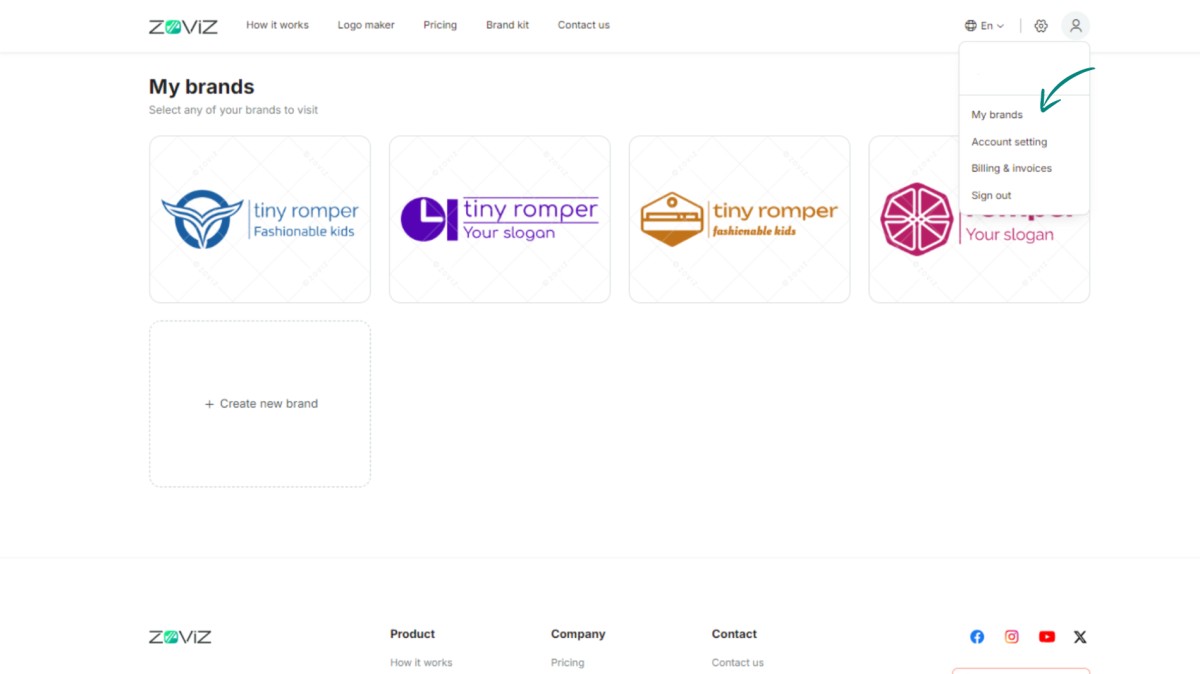
Step 3. Select the logo you would like to incorporate into your letterhead.
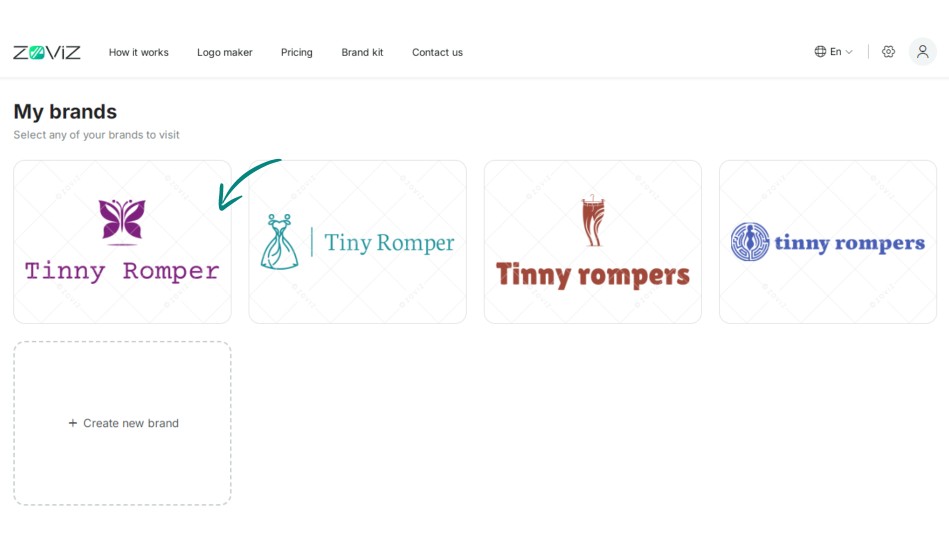
Step 4. Click on the "Letterheads" option from the left sidebar.
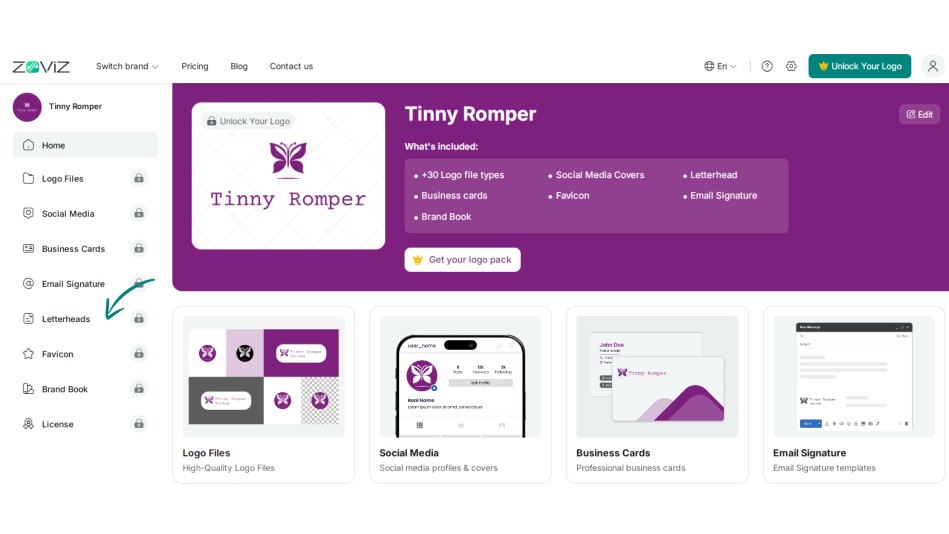
Step 5. Pick the letterhead design you like.
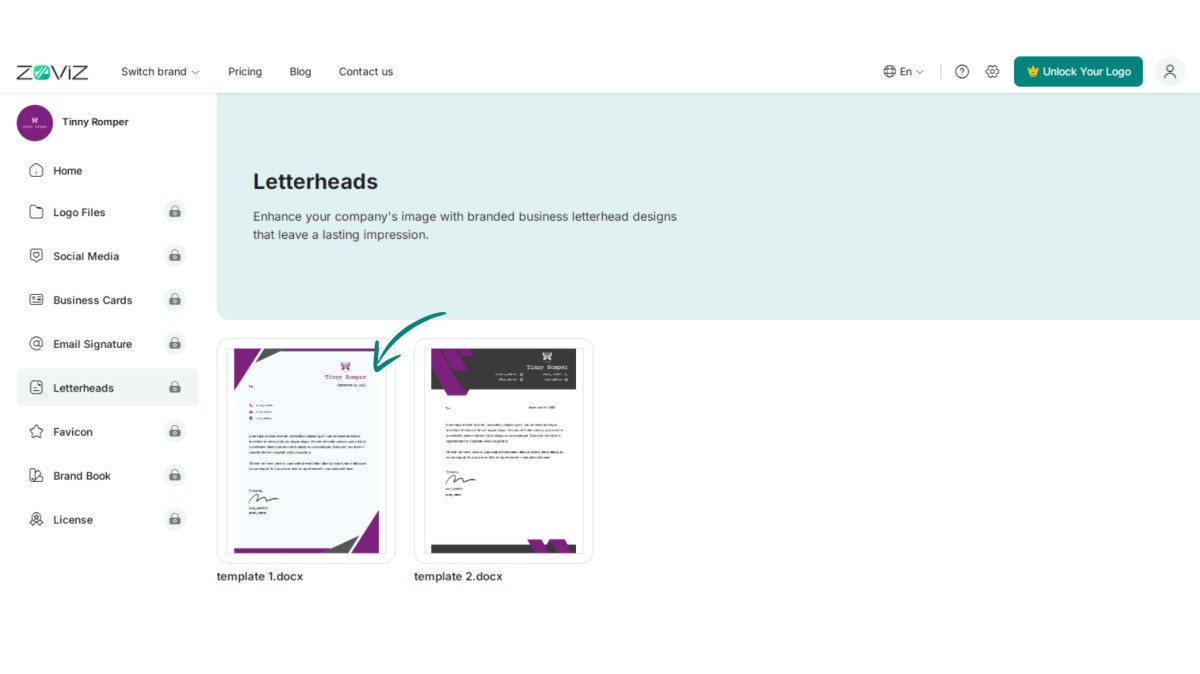
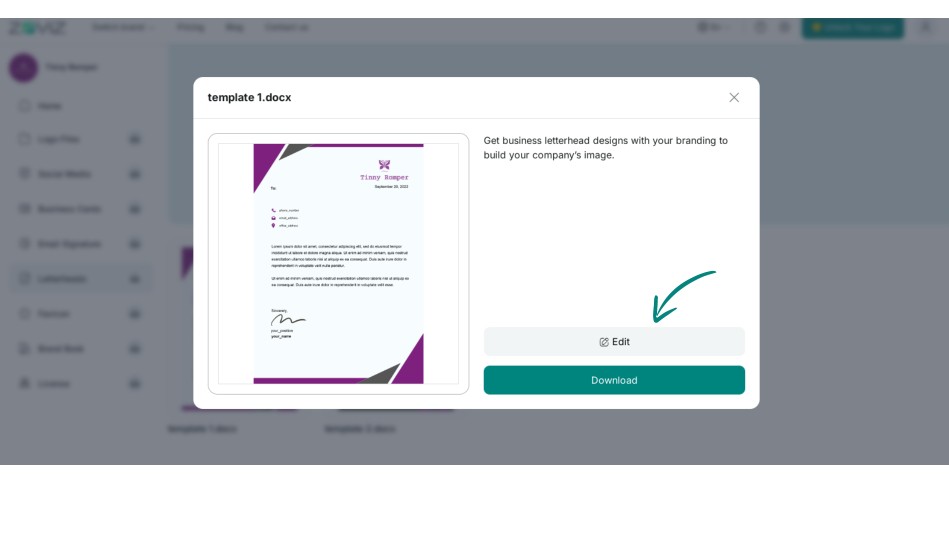
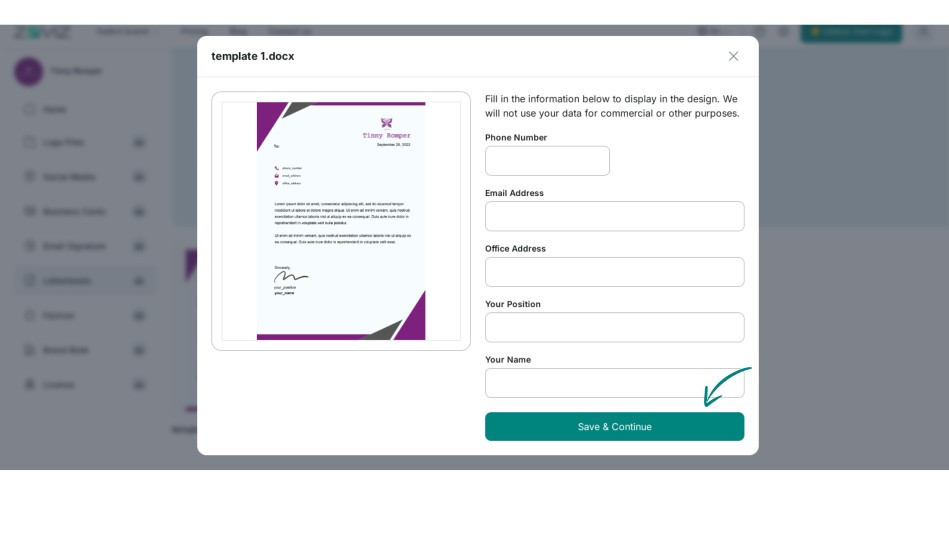
Step 6. Click "Edit" to add or change your desired information.
Step 7. Press the "Save" button.
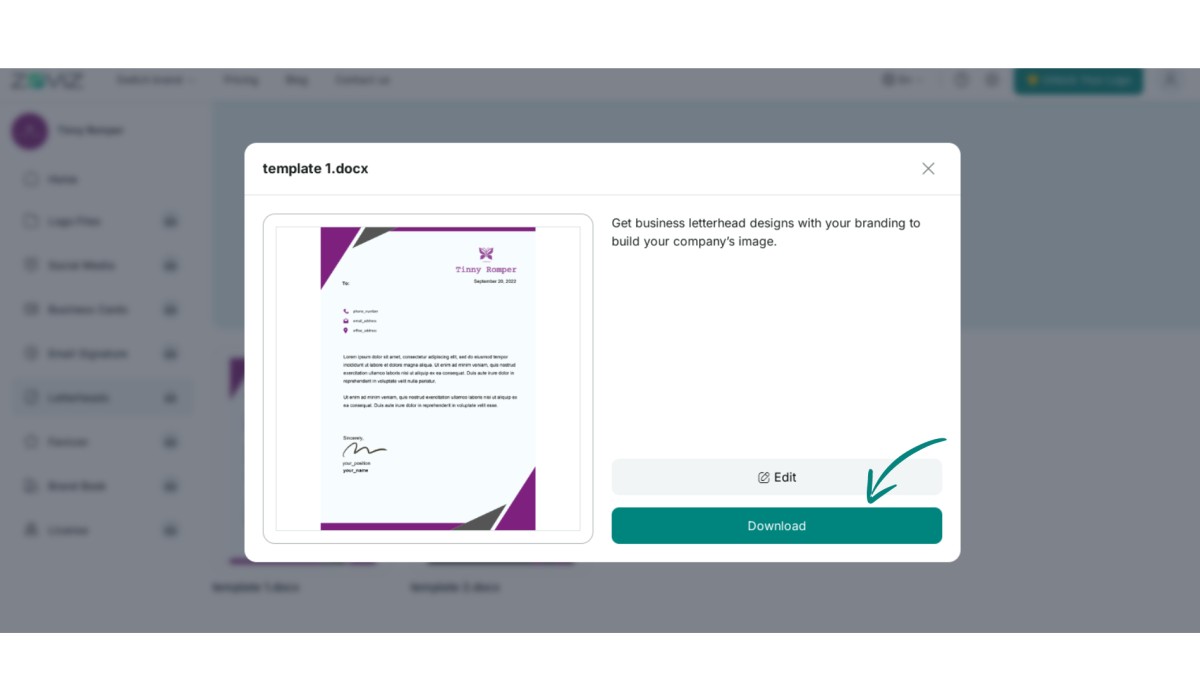
Step 8. Click the "Download" button to save your letterhead.
获取独家资讯简报
立即订阅,最新资讯将直接发送到您的收件箱。千万不要错过!


