
Your Photo Looks Perfect. Until You Zoom In
The best AI image upscaler in 2026 depends on what you're upscaling. For free, no-signup web upscaling up to 16x, Zoviz Image Upscaler is the easiest pick. Photographers who need maximum detail recovery still reach for Topaz Gigapixel AI. Anyone working with AI-generated art or Midjourney exports gets the most from Magnific. And if you want unlimited upscaling on your own machine, Upscayl - open-source and local - is the answer.
Below, we break down 12 tools, who each one is for, what they cost, and how they actually compare on faces, anime, blurry photos, batch jobs, and 8K output. We also explain how AI upscaling works under the hood so you can pick the right model for your image - not just the most popular one.
At a glance - 2026 quick comparison
| # | Tool | Best for | Max upscale | Free tier | Pricing (from) |
|---|---|---|---|---|---|
| 1 | Zoviz Image Upscaler | Free online upscaling, no signup | 16x | Unlimited, no watermark | Free |
| 2 | Topaz Gigapixel AI | Pro photographers, faithful detail | 6x (16x via tile) | Trial only | $12/mo or $199/yr |
| 3 | Magnific AI | AI art, creative reinvention | 16x | Trial only | $39/mo |
| 4 | Upscayl | Free open-source, runs locally | 4x (16x via chain) | Unlimited, free | Free (donations) |
| 5 | Let's Enhance | Multi-model cloud workflows | 16x | 10 free credits | $9/mo |
| 6 | VanceAI Image Upscaler | Batch processing | 8x | 3 credits/mo | $9.90/mo |
| 7 | Upscale.media | Quick browser upscaling | 4x | Limited (free, browser) | $7/mo |
| 8 | ImgUpscaler | Portrait & face enhancement | 16K (≈8x) | 3 free/day | $9.90/mo |
| 9 | BigJPG | Anime & illustrations | 8x | 5/day (3MB max) | $9/mo |
| 10 | PhotoGrid AI Upscaler | Mobile-first free upscaling | 4x | Free, watermark-free | Free / Pro upgrade |
| 11 | Nero AI Image Upscaler | Windows desktop workflows | 4x | Limited free | $39.95/yr |
| 12 | Icons8 Smart Upscaler | Designers, icons, small graphics | 4x | 3 free/day | $9/mo |
Pricing reflects publicly listed plans as of May 2026. Free-tier limits change frequently - check each provider's pricing page before committing.
How does an AI image upscaler work?
An AI image upscaler doesn't enlarge your photo by stretching pixels - that's what older bicubic and bilinear interpolation did, and it's why enlarged photos used to look soft and blocky. Modern upscalers use deep neural networks trained on millions of paired examples (a sharp original alongside a degraded copy) to predict what the missing detail should look like.
Two architecture families dominate in 2026:
1. Super-resolution networks (e.g. ESRGAN, Real-ESRGAN, SRGAN). These reconstruct plausible high-frequency detail - edges, textures, fine patterns - based on what the model has learned from real photos. They're the engine behind Upscayl, the "Prime" and "Strong" modes in Let's Enhance, and most free web upscalers including the one inside Zoviz.
2. Diffusion-based generative upscalers. Tools like Magnific and the upscalers inside Stable Diffusion / Krea use the same diffusion process that generates images from text prompts. They don't just sharpen what's there — they generate new, plausible detail. This is powerful for AI art and creative work, but it can change a photo's content (subtly invent skin pores, hairs, or texture that weren't there).
For a deeper walkthrough of the workflow with real photos, see our companion guide on how to enhance and upscale photos with AI.
The 2026 split: faithful vs creative upscaling
This is the single most important distinction when picking a tool.
| Faithful upscalers | Creative upscalers | |
|---|---|---|
| Approach | Reconstruct detail likely present in source | Generate new plausible detail via diffusion |
| Best for | Real photos, portraits, e-commerce, archival | AI art, Midjourney, concept imagery |
| Risk | Can over-smooth fine textures | Can change content you didn't want changed |
| Examples | Topaz Gigapixel, Upscayl, Let's Enhance Prime, Zoviz | Magnific, Krea, Stable Diffusion upscalers |
| Use when… | Accuracy to original matters | You want the AI to "improve" the image creatively |
Rule of thumb: if it's a real photo of a real person or product, use a faithful upscaler. If it's AI-generated or you want a stylized re-imagining, use a creative upscaler.
The 12 best AI image upscalers in 2026
1. Zoviz Image Upscaler - Best free online upscaler (no signup)

Best for: Anyone who needs a fast, free, no-sign-up, browser-based upscale.
Max upscale: 16x (the highest free-tier ceiling on this list)
Free tier: Unlimited, no watermark, no account Pricing: Free
Zoviz Image Upscaler is a free AI image enhancer and upscaler that works entirely in the browser — no download, no account, no watermark on output. It supports JPG, PNG and other common formats and produces results in seconds. Internally, it uses a super-resolution model that prioritizes faithful detail recovery rather than creative reinvention, making it a safe choice for portraits, product shots, and scanned old photos.
Two things make it stand out in 2026: the 16x ceiling (most free tools cap out at 4x) and the no-watermark, no-signup policy, which is increasingly rare among free upscalers. Zoviz reports more than 1 million images enhanced and a 4.9/5 user rating, with all uploads encrypted in transit and auto-deleted after processing.
Pros
- Up to 16x upscaling on the free tier - unmatched among browser-only tools
- No watermark, no signup, no email required
- Smart noise reduction preserves natural textures
- Works on mobile and desktop, supports all major formats
- Privacy-first: encrypted uploads, auto-deleted after processing
Cons
- Browser-only (no desktop app for offline use)
- One model - no manual control over the upscaling style (faithful vs creative)
- Best results need a clear source; very small or highly compressed images still hit physical limits
Try it: zoviz.com/image-upscaler
2. Topaz Gigapixel AI - Best for professional photographers

Best for: Wedding, portrait, real estate, and commercial photographers
Max upscale: 6x native (up to 16x via tiling)
Free tier: 30-day trial only. Pricing: From $12/month (cloud) or $199/year for the Photo AI bundle
Topaz Gigapixel is still the benchmark for pure detail recovery in 2026. It runs on your own machine (so your files never leave your hard drive), and its specialist photo models - particularly the face-recovery module - produce more believable enlargements of real human subjects than any other tool tested. In head-to-head testing on photographic content, Topaz beat the strongest free competitor (Upscayl) on roughly 14 of 20 images.
The catch is price. Topaz moved to subscription pricing in 2025 — $12/month for cloud rendering or $199/year for the full Photo AI bundle — putting it out of reach of casual users. But for a working photographer who upscales hundreds of images a year, it pays for itself quickly.
Pros
- Highest detail recovery on real photos (especially faces)
- Runs locally — full privacy, no upload limits
- Specialist models (Standard, High Fidelity, Low Resolution, Art & CG, Lines, Compressed)
- Excellent batch processing
Cons
- Subscription pricing now (was a one-time $99 in earlier versions)
- Heavier hardware requirements (decent GPU recommended)
- No browser version
3. Magnific AI - Best for creative & AI-art upscaling

Best for: AI artists, Midjourney users, concept designers
Max upscale: 16x
Free tier: Trial only
Pricing: From $39/month
Magnific is the leader for creative upscaling — the kind where you want the AI to add new detail. Its diffusion-based engine can take a 768×768 Midjourney export and turn it into a 4K image full of textures, fabric weaves, and skin pores that weren't there before. Its "Creativity" slider (Subtle / High / Wild) lets you dial in how much the AI is allowed to invent.
Magnific is overkill and inappropriate — for real photos of real people, because it will happily change facial features. But for any work where the source is itself synthetic, it's the gold standard. If your workflow leans on the AI image generator or sketch-to-image, Magnific is the upscaler you reach for at the end.
Pros
- Unmatched creative detail generation
- Full creativity control (Subtle / High / Wild)
- Excellent for Midjourney, Stable Diffusion, Flux outputs
- Strong texture, lighting and material reinvention
Cons
- $39/month with no free tier — most expensive on this list
- Not appropriate for photographs of real subjects
- Will alter content; not faithful
4. Upscayl - Best free open-source local upscaler

Best for: Privacy-conscious users, anyone with a decent GPU, batch jobs
Max upscale: 4x (chainable to 16x)
Free tier: 100% free, unlimited
Pricing: Free (donation-supported, AGPL-3.0 licensed)
Upscayl is the open-source darling - free forever, no watermark, no upload (it runs entirely on your machine), and ships with multiple Real-ESRGAN-based models, including a dedicated "Real-ESRGAN Anime" variant that is widely considered the best free option for anime, manga, and illustration content. It runs on Windows, macOS, and Linux.
The trade-off vs Topaz: Upscayl tends to over-smooth fine textures (grass, hair, fabric weaves) at maximum zoom. For most use cases — social media, web, casual prints — that gap is invisible. For commercial portraits printed at 24×36, you'll see it.
Pros
- 100% free, open-source, unlimited
- Runs locally — no data leaves your computer
- Several models including Real-ESRGAN Anime
- Batch mode included
- Works offline
Cons
- Needs a decent GPU for reasonable speed
- Smoother textures than Topaz at max zoom
- Desktop only — no mobile/web app
5. Let's Enhance - Best cloud upscaler with multiple models

Best for: Mixed workflows that need different models per image type
Max upscale: 16x (Pro plan)
Free tier: 10 credits/month
Pricing: From $9/month (Pro) — $24/month (Premium) for 16x and bulk
Let's Enhance ships with six purpose-built models — Prime (faithful), Gentle, Old Photo, Strong, Ultra, and Digital Art — meaning you can match the upscaler to the content. It's also one of the few tools with explicit print-DPI presets and Lightroom/Photoshop plugins.
In our same-image testing across the SERP-leading tools, Let's Enhance produced the most consistent results across photographic, illustration and old-photo content, though it sometimes lost out on fine detail to Topaz on the cleanest photographic inputs.
Pros
- Six models tuned for different content types
- Print-ready DPI presets (300 DPI / A4 / 4×6)
- Lightroom and Photoshop plugins
- Clean, browser-based UI
- Strong API for teams (via Claid.ai)
Cons
- Free tier is small (10 credits/month)
- 16x scaling locked to Premium plan
- No offline option
6. VanceAI Image Upscaler - Best for batch processing

Best for: E-commerce sellers and agencies upscaling many SKUs
Max upscale: 8x
Free tier: 3 credits/month
Pricing: From $9.90/month
VanceAI is built around batch workflows. The interface, API and pricing all favour high-volume operations — perfect for an Etsy shop or Shopify store running through hundreds of product photography shots. Quality on real photos is solid (a notch below Topaz, on par with Let's Enhance), and the company offers a wider AI suite around the upscaler (background removal, photo restoration, denoising).
Pros
- Strong batch / bulk pipeline
- Reliable 8x upscaling
- Wider AI suite available
- Affordable team plans
Cons
- Smaller free tier (3 credits/month)
- Less impressive on fine textures vs Topaz
- Subscription required for any meaningful volume
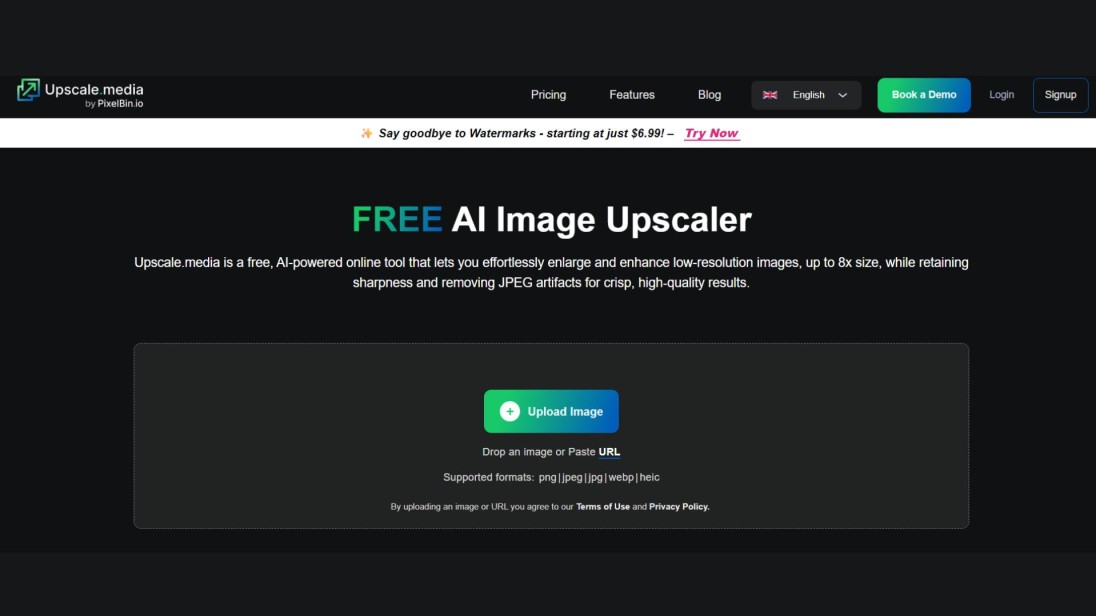
7. Upscale.media - Best browser-only quick upscaler
Best for: One-off browser upscales
Max upscale: 4x
Free tier: Unlimited browser access (with credits cap)
Pricing: From $7/month
Upscale.media is fast, friendly and gets the job done for casual upscaling — JPG, PNG, WEBP and HEIC, 2x or 4x, results in a few seconds. It's similar to Zoviz on capability but caps out at 4x and applies daily limits on heavier use. A good fallback if you need a second opinion on an image.
Pros
- Fast, simple browser experience
- HEIC support (rare on free upscalers)
- Works on mobile
Cons
- 4x maximum (Zoviz goes to 16x free)
- Daily limits on heavy use without a plan
8. ImgUpscaler - Best for portrait & face enhancement

Best for: Portraits, headshots, wedding photos
Max upscale: Up to 16K resolution (≈8x typical)
Free tier: 3 free upscales per day
Pricing: From $9.90/month
ImgUpscaler runs a face-and-eye-detection layer over its AI model that explicitly targets blurry skin, eyes, and lashes - the result is a noticeable jump in portrait quality vs general-purpose upscalers. It's the right pick if your typical job is a single face per image, especially a low-light or compressed phone photo.
Pros
- Dedicated face/eye recognition pipeline
- Up to 16K target resolution
- Quick browser delivery
Cons
- 3 free upscales per day on the free plan
- Generic photos look more "average" than its portrait specialty
9. BigJPG - Best for anime, manga & illustrations

Best for: Anime fan-art, manga panels, vector-style illustrations
Max upscale: 8x
Free tier: 5 images/day, 3MB max
Pricing: From $9/month
BigJPG was one of the first tools to ship a model specifically tuned for anime line-art, and it still produces some of the cleanest enlargements for that content type. Edges stay crisp, flat colour fields don't introduce noise, and dithering is correctly handled. For real photographs it's noticeably weaker than the photographic upscalers — use it for what it's built for.
Pros
- Best-in-class on anime / manga / line art
- 8x scaling
- Cheap entry-level paid tier
Cons
- Only fair on real photographs
- 3MB free-tier file limit is restrictive
- Dated UI
10. PhotoGrid AI Upscaler - Best mobile-first free option

Best for: Phone-first creators, social-media casual upscaling
Max upscale: 4x
Free tier: Free, watermark-free
Pricing: Free / PhotoGrid Pro upgrade
PhotoGrid is primarily a mobile photo-editing suite that includes an AI upscaler as one feature. If you're already editing in the PhotoGrid app, the upscaler is a natural fit. Quality is solid for social-grade output (Instagram, TikTok, YouTube thumbnails) and there's no watermark on the free tier. It's not the right tool for print or commercial work — but it's an easy, ad-supported upgrade for casual creators on iOS and Android.
Pros
- Free, mobile-first
- One-click workflow inside the editor
- No watermark on output
- Bundled with broader photo-editing tools
Cons
- Capped at 4x
- Quality below desktop tools at large zoom
- Mobile only — no robust desktop counterpart
Searching for "photogrid ai upscaler free limits"? PhotoGrid's free tier doesn't watermark output but does enforce daily processing caps and lower batch ceilings than its Pro tier - exact thresholds vary by region and platform. Zoviz's free tier has no daily cap on the web app.
11. Nero AI Image Upscaler - Best for Windows desktop workflows

Best for: Windows users who want a downloadable upscaler with extras
Max upscale: 4x
Free tier: Limited free use
Pricing: From $39.95/year
Nero AI is the upscaler tucked inside Nero's broader media-suite ecosystem. It runs locally on Windows, with web access as a fallback. It's a serviceable mid-tier tool — not the sharpest output, but it bundles batch processing, denoising, and content-type presets (portrait, cartoon, document, face-enhancement) at a fair annual price.
Pros
- Annual price is friendly for occasional use
- Local processing for privacy
- Multiple content-type presets
Cons
- Windows-centric (no native macOS app)
- Quality trails Topaz and Upscayl
- UI feels older than its competitors
12. Icons8 Smart Upscaler - Best for designers & icon work

Best for: Designers upscaling small graphics, icons, app screenshots
Max upscale: 4x
Free tier: 3 free upscales/day
Pricing: From $9/month
Icons8's upscaler is tuned for graphic design content — icons, UI screenshots, vector-style flat illustrations — where edge precision matters more than photographic detail. It plays nicely with the wider Icons8 ecosystem (icon library, design assets) but is a poor pick for photography.
Pros
- Strong on graphic content (icons, UI)
- Cheap entry tier
- Integrates with Icons8 library
Cons
- 4x max
- Photographic results lag behind dedicated photo tools
- 3/day free tier is tight
Best AI image upscaler by use case
Different tools excel at different jobs. Use this matrix to skip straight to the right pick.
| Use case | Best free | Best paid | Why |
|---|---|---|---|
| Faces & portraits | Zoviz, ImgUpscaler | Topaz Gigapixel | Topaz's face-recovery model leads on real-skin texture; Zoviz handles casual portraits free up to 16x |
| Anime, manga & illustrations | Upscayl (Real-ESRGAN Anime), BigJPG | Magnific (creative mode) | Real-ESRGAN Anime preserves line crispness; Magnific reinvents detail for stylized AI art |
| Photographers (RAW & wedding) | Upscayl | Topaz Gigapixel AI | Topaz wins on detail fidelity; Upscayl is the best free fallback |
| 8K & ultra-high resolution | Zoviz (up to 16x), Upscayl (chained) | Let's Enhance Premium, Magnific | Zoviz's 16x ceiling is the highest free-tier number; paid tools handle pro 8K workflows |
| Blurry & low-resolution photos | Zoviz | Topaz (Low Resolution model) | AI can't invent focus that wasn't there, but Topaz's specialist model recovers more than any free tool |
| Batch processing (e-commerce, agencies) | Upscayl (local batch) | VanceAI, Topaz | Local batch is unlimited & free in Upscayl; cloud batch is faster on VanceAI |
| Mac users | Zoviz, Upscayl | Topaz Gigapixel AI | All three have proven macOS support |
| Open-source / privacy-first | Upscayl | — | Only true open-source upscaler with active development |
| AI-generated images (Midjourney, SD) | Krea (free tier), Upscayl Anime | Magnific | Magnific's diffusion engine reinvents detail in a way pure SR models cannot |
| E-commerce product photos | Zoviz | VanceAI, Let's Enhance | Pair with background remover and photo object remover for a full e-commerce workflow |
| Old-photo restoration | Zoviz, Upscayl | Let's Enhance (Old Photo model) | Use a faithful model and avoid creative upscalers — they hallucinate features into damaged areas |
| Print at 300 DPI | Zoviz (16x), Upscayl | Let's Enhance, Topaz | See the print maths section below |
VanceAI vs Upscayl vs BigJPG vs Let's Enhance vs Zoviz - head-to-head
These are the five tools most often compared on Google when people search "vanceai vs upscayl vs bigjpg vs let's enhance" — so here they are side by side.
| Zoviz | Upscayl | VanceAI | BigJPG | Let's Enhance | |
|---|---|---|---|---|---|
| Type | Web | Local desktop | Web + API | Web | Web + API |
| Max upscale | 16x | 4x (chainable) | 8x | 8x | 16x |
| Free tier | Unlimited, no watermark | Unlimited (open source) | 3 credits/mo | 5/day, 3MB max | 10 credits/mo |
| Best content type | Real photos | Anime + photos | Real photos, batch | Anime, line art | Mixed (six models) |
| Watermark on free output | None | None | None | None on small files | None |
| Account required | No | No (download) | Yes | Yes | Yes |
| Faithful or creative | Faithful | Faithful | Faithful | Faithful | Faithful (selectable) |
| Pricing (entry) | Free | Free | $9.90/mo | $9/mo | $9/mo |
| Where it wins | No-friction free use, 16x ceiling | Privacy + open source | Batch volume | Anime line art | Model selection per content type |
| Where it loses | One model, no creative mode | Smooths fine textures | Smaller free tier | Weak on real photos | Free tier is small |
Pick guide:
- Need it free, in the browser, right now? Zoviz.
- Privacy paranoid or want unlimited local batch? Upscayl.
- Running 500 product photos a week? Zoviz & VanceAI.
- Upscaling fan-art or manga panels? Zoviz, BigJPG or Upscayl Anime.
- Mixed workflow with old photos, ai art and product shots? Zoviz or Let's Enhance.
Best alternatives to popular AI upscalers
Best Upscayl alternatives (online)
Upscayl is desktop-only. If you can't or don't want to install software, the closest free online alternatives are Zoviz Image Upscaler (16x, no watermark, no signup) and Upscale.media (4x, browser-based). For paid alternatives that give you Upscayl-class output without the install, Let's Enhance with its Prime model is the most faithful match.
Best ImgUpscaler alternatives
For faces and portraits specifically, Topaz Gigapixel (paid) and Zoviz (free) are the strongest alternatives to ImgUpscaler. Zoviz hits 16x for free and ImgUpscaler's free tier is capped at 3/day — so for casual portrait work, Zoviz is the obvious replacement.
Best Icons8 Smart Upscaler alternatives
For graphics and icon upscaling, BigJPG handles vector-style art well and Magnific can creatively re-imagine UI mockups. For mixed graphic + photo work, Zoviz covers both at 16x for free.
Best Topaz Gigapixel alternatives (free)
The closest free substitute for Topaz on photographic content is Upscayl (open-source, runs locally) — its smoothing on fine textures is the gap, but for most non-pro use cases the difference is invisible. Zoviz Image Upscaler is the strongest free online alternative if you can't install software.
How to upscale an image with AI in 3 steps
You don't need design software, an account or a credit card. Here's the fastest free workflow using Zoviz Image Upscaler:
- Upload your image. Drag and drop a JPG, PNG or other common format into the Zoviz upscaler. There's no signup or email required, and your file is encrypted in transit and auto-deleted after processing.
- Pick your upscale level. Choose 2x, 4x, 8x or 16x depending on what you need. For social media, 2x–4x is plenty. For prints, go 8x–16x.
- Download the result. Zoviz processes the image in seconds and serves a watermark-free download. JPG and PNG output supported.
5 tips for the sharpest upscaled results
- Start with the cleanest source you can. AI can sharpen detail that's almost there; it can't recover what was never captured. A focused 800-pixel original beats a blurry 2,000-pixel one every time.
- Don't overshoot the upscale ratio. 4x is enough for most jobs. Going to 16x on an already-low-quality image can produce plastic-looking textures.
- Match the model to the content. Anime → Upscayl Anime or BigJPG. Faces → ImgUpscaler or Topaz. AI art → Magnific. Generic photos → Zoviz.
- Upscale before editing, not after. If you'll be running AI photo editing or removing the background, do the upscale first — edits applied to a low-res image carry the noise into the final.
- Don't upscale already-compressed JPEGs twice. Each save introduces compression artefacts. Work from the original where possible, and export upscaled output as PNG if it'll be edited again.
Print, web & 8K - what resolution do you actually need?
The right amount of upscaling depends entirely on where the image will be displayed. The math is easier than it looks.
| Use case | Recommended resolution | What you need to upscale a 1000×1000 source |
|---|---|---|
| Instagram post (square) | 1080 × 1080 | No upscale needed |
| YouTube thumbnail | 1280 × 720 | 1.3x upscale |
| Standard 4K web/TV | 3840 × 2160 | 4x upscale |
| 8K / large display | 7680 × 4320 | 8x upscale |
| 4×6 photo print (300 DPI) | 1200 × 1800 | 2x upscale |
| 8×10 photo print (300 DPI) | 2400 × 3000 | 3x upscale |
| 11×14 print (300 DPI) | 3300 × 4200 | 4x upscale |
| 16×20 poster (300 DPI) | 4800 × 6000 | 6x upscale |
| 24×36 large poster (300 DPI) | 7200 × 10800 | 11x upscale |
Print rule of thumb: at 300 DPI, every inch of printed image needs 300 pixels. To find the upscale ratio you need: (target pixels) ÷ (source pixels). For most casual prints up to 11×14, a 4x upscale from a phone photo is enough. Posters and gallery prints need 8x–16x — which is exactly where Zoviz's 16x ceiling comes in.
FAQs about AI image upscalers
What is the best free AI image upscaler in 2026?
For free, no-signup browser upscaling, Zoviz Image Upscaler is the strongest pick — it offers up to 16x scaling with no watermark and no account. For free, unlimited local upscaling, Upscayl (open-source) is the best desktop option.
Is there a truly free AI upscaler with no watermark and no signup?
Yes. Zoviz Image Upscaler, Upscayl (desktop), and PhotoGrid (mobile) all produce watermark-free output without requiring an account. Most other "free" upscalers either watermark output, require signup, or cap free use at 3–5 images per day.
What's the difference between AI upscaling and traditional bicubic enlargement?
Bicubic and bilinear interpolation calculate new pixels by averaging surrounding ones — this enlarges the image but produces soft, blurry results. AI upscaling uses neural networks (typically based on ESRGAN, Real-ESRGAN or diffusion models) trained on millions of images to predict what realistic high-resolution detail should look like, producing sharp, natural-looking enlargements.
Can I upscale AI-generated images from Midjourney or Stable Diffusion?
Yes — and you should use a different tool than you would for real photos. For AI art, creative diffusion-based upscalers like Magnific or Krea will reinvent detail in a way that suits stylized images. For photos, use a faithful upscaler like Zoviz, Topaz Gigapixel, or Upscayl that reconstructs rather than invents.
Is AI upscaling good enough for printing at 300 DPI?
Yes, with the right tool. Modern AI upscalers can produce 300 DPI output suitable for prints up to 16×20 inches and beyond from a 1080p source, especially with 8x–16x scaling. For gallery-grade or commercial prints, professional photographers typically pair Topaz Gigapixel with their RAW files. For casual prints, Zoviz at 16x is sufficient.
How much can AI actually upscale an image?
Most AI upscalers cap at 4x–8x in a single pass. Zoviz and Magnific go up to 16x, and tools like Upscayl can be chained (4x then 4x again) to reach 16x. Beyond ~16x, returns diminish sharply — the AI is mostly inventing rather than recovering, and image content starts to look plastic.
Does AI upscaling reduce or harm image quality?
Used correctly, no — modern AI upscalers preserve and enhance detail. Quality issues come from three sources: (1) starting with a too-low or too-blurry source (AI can't invent focus that wasn't there), (2) overshooting the upscale ratio, and (3) using a creative upscaler on a real photo when you wanted a faithful one.
Can AI upscalers fix a blurry photo?
Partially. AI can reduce motion blur slightly and sharpen soft focus, but it cannot recover detail that was completely out of focus. The cleanest fix is a faithful model with a "low resolution" or "blurry" preset — Topaz Gigapixel's Low Resolution model and Let's Enhance's Strong model handle this best. For free, Zoviz handles mild blur and compression artefacts well.
What's the best AI upscaler for faces and portraits?
For free, Zoviz Image Upscaler and ImgUpscaler (which has a dedicated face-detection layer) are the strongest picks. For paid, Topaz Gigapixel's face-recovery module is the industry standard for portraits, weddings, and headshots.
What's the best AI upscaler for anime, manga and illustrations?
Upscayl with the built-in Real-ESRGAN Anime model is widely regarded as the best free option for anime and manga. BigJPG also produces excellent results for line art. For creative reinvention of stylized AI art, Magnific is the paid leader.
How do I make a small image bigger without losing quality?
Use an AI upscaler instead of resizing in basic photo software. For most uses, Zoviz Image Upscaler handles this in three clicks: upload, pick 2x–16x, download. For specific content types - anime, faces, AI art match the tool to the content using the use-case matrix above.
Are AI upscalers safe? Do they store my images?
Reputable upscalers encrypt uploads and auto-delete files after processing. Zoviz, for example, deletes images after enhancement and never stores or shares them. For maximum privacy, use a local tool like Upscayl or Topaz that processes everything on your own machine without uploading anywhere.
Final verdict
There's no single "best AI image upscaler in 2026" — there's the best one for your image. If you're upscaling a real photo, use a faithful model. If you're upscaling AI art, use a creative one. If you don't want to install software, sign up, or pay, use Zoviz Image Upscaler — it's the only free browser tool with a 16x ceiling and no watermark.
If you want to round out a full creative workflow once your image is upscaled, the AI photo editor and photo object remover inside Zoviz Marketing Studio handle the next steps. And if you're building visuals across the board — for product photography, social posts, or full brand assets — the AI image generator and AI video generator cover the rest of the pipeline.
For more on AI image tools that pair well with upscaling, see our guides on the best AI image editing tools, the best AI object remover tools, and the 10 best AI tools for small businesses.
Ready to try it yourself?


