
Free YouTube Thumbnail Maker Watch Your CTR 3X
5,000+ professionally designed templates built for every video type, a drag-and-drop AI thumbnail editor, and automatic YouTube sizing. Join 75,000+ YouTubers who trust Zoviz to grow their audience.

YouTube Thumbnail Templates for Every Video
Every video type has a template on Zoviz. Gaming, tutorials, vlogs, podcasts, music, travel, food, fitness, education, tech, business, YouTube Shorts; pick one, swap in your image and text, and you've got a thumbnail that fits your content and your channel's look.


All-in-One YouTube Thumbnail Maker
Zoviz's online thumbnail maker handles the technical side so you can focus on the creative. Whether you're making thumbnails for videos, playlists, Shorts, or live streams, correct specs, quick download, and no resizing needed.
One Place for Every Thumbnail
No switching between tools or starting from scratch. Everything you need to create thumbnails for any video, playlist, Short, or live stream is right here.
Quick Brand Setup
Upload your logo, set your fonts and colors, and you’re done. Every thumbnail you create stays on-brand and ready to publish.
Thumbnail Templates Ready to Use
Browse designs built for every creator type. Business, lifestyle, gaming, education, and more; just pick one, customize, and post.
Simple Tools, Full Control
Swap images, rewrite text, adjust colors, and add effects in seconds. Need a starting point? The AI thumbnail editor suggests layouts based on your video type so you're never staring at a blank canvas.
How to Make a Thumbnail for YouTube?
Three steps from blank canvas to ready-to-upload thumbnail.

Pick a Template That Fits Your Video
Browse 5,000+ layouts built for every video type. Filter by niche, style, or color to find one that matches your content.
Browse Templates Designs
Make It Yours
Swap the image, rewrite the text, change colors, drop in your logo. The drag-and-drop thumbnail editor gives you full control without a learning curve.
Try Youtube Thumbnail Maker
Save and Upload Instantly
Your thumbnail exports as a high-quality JPG, sized and optimized for YouTube. Upload straight to your video, playlist, or Shorts, no extra editing needed.
Make Youtube Thumbnail NowWhy Zoviz is the Best YouTube Thumbnail Maker?
Here's what makes Zoviz the go-to free YouTube thumbnail generator for creators, streamers, educators, and businesses.
Thumbnail Templates for Every Video
No more guessing layouts. 5,000+ layouts for every niche and video format. Filter by style, pick your template, and have a publish-ready thumbnail in minutes.
Multilingual & AI-Powered Youtube Thumbnail Designs
Zoviz's AI thumbnail maker generates unique designs tailored to your content, not cookie-cutter copies. Supports 100+ languages so your thumbnails reach audiences anywhere.
Optimized for YouTube's Specs
Every template outputs at 1280×720 px, under 2MB, and at the correct aspect ratio. Sharp on desktop, mobile, and TV, every time.
Export in Seconds
One click exports your thumbnail as a high-quality JPG, ready to upload to your video, playlist, or YT Shorts without any extra steps.
Get Youtube Thumbnail Ideas in Seconds
Not sure what style will catch attention? Zoviz suggests layouts and visual directions based on your video type, from bold text overlays for tutorials to high-contrast graphics for gaming.
Edit Your Youtube Thumbnail in Minutes
Every element is editable: fonts, colors, images, effects, overlays. You get professional-looking results without touching a single design setting manually.
Start Creating Your YouTube Video Thumbnail for Free
Make custom thumbnails in minutes that not only look professional but also boost clicks, views, and subscribers.
Start Creating Youtube Thumbnail FreeGo Beyond Youtube Thumbnail Templates
Zoviz is more than a Youtube Thumbnail maker. One platform for stories, posts, covers, business cards, letterheads, and every piece of content your brand puts out, all free to start.

Instagram Stories
Create vertical stories that stand out on any screen.

Instagram Posts
Make stunning Instagram posts that match your brand.

Facebook Posts
Design bold and clear Facebook posts that fit every format.

Youtube Covers
Build clean, bold covers for your YouTube channel.

LinkedIn Covers
Create professional LinkedIn cover designs that boost your personal brand visibility.

Email signatures
Build a custom email signature that strengthens your brand in every email.

Business cards
Design standout business cards that leave a lasting impression on clients.

Letterheads
Craft branded letterheads that enhance your business’s professional identity.
Design Once, Use Everywhere
Same brand kit across every design. Your thumbnail editor, posts, stories, and covers all stay consistent automatically.
Built for Creators Who Post Often
Use ready-to-publish templates, duplicate any design, swap the title and image. Smart filters show designs by niche; cinematic for reviews, playful for vlogs, dramatic for gaming, clean for business.
Pixel-Perfect for YouTube
High-contrast colors, readable text, clear focal point, all at 1280×720 px. Zoviz's online AI thumbnail editor builds these into every template, sharp across desktop, mobile, and TV.
Your Whole Channel, One Tool
Free YouTube thumbnail creator, channel covers, end screen graphics, social posts. Everything sized, everything in one place, with no hidden costs.
Meet Zoviz AI: Create Stunning Youtube Thumbnails
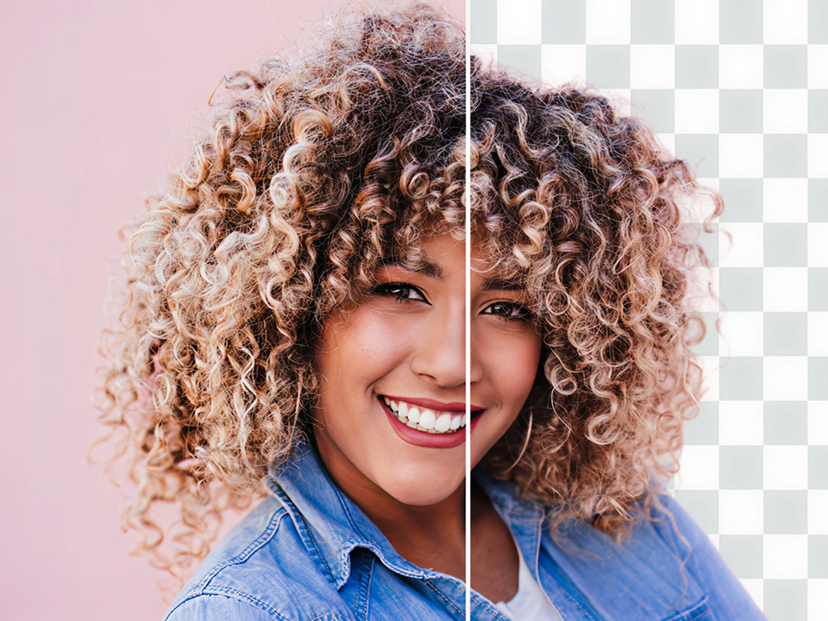
Transform your Youtube Thumbnails into eye-catching, share-worthy moments — enhance images, remove distractions, and craft visuals that keep your audience watching.


Why Creators Love Zoviz’s Thumbnail Creator
From gamers to vloggers to teachers, creators trust Zoviz to make thumbnails that bring more clicks and views

Simple templates, easy edits, and my gaming thumbnails finally stand out.

Clean designs that match my brand. Took me minutes, not hours.

Switched to Zoviz and my views doubled in a week.
I make thumbnails in minutes. Students spot my videos right away.
Frequently Asked Questions
Thumbnails That Work Harder for You
With Zoviz’s YouTube thumbnail maker, design thumbnails that don’t just look good, they get clicked. Our templates are built to grab attention in feeds, boost video CTR, and help your content reach more viewers.
Make a Thumbnail for Video